Cyber Essentials is the UK government-backed baseline cyber security scheme that gives SMEs a recognisable certificate showing basic protection against common internet threats, built around five technical controls. It gives you a credible answer to procurement and insurance questions without needing an internal security team. If you need to move quickly, start with the Cyber Essentials Readiness Tool or book a session with an NCSC-assured Cyber Advisor to confirm your scope before you pay for an assessment.
TL;DR:
- Your scope must include every cloud service staff use and every device they use at home, and your Certification Body must approve boundaries before assessment.
- Apply critical or high risk updates to operating systems and network firmware within 14 days, and require multifactor authentication for every cloud administrator.
- Most SMEs need standard certification; choose Plus only when a contract requires independent technical evidence, with the audit completed within three months of self assessment.
- After payment, you have up to six months to submit the assessment; certification lasts 12 months, and renewal follows the requirements then in force.
Table of Contents
- What Cyber Essentials covers and who it’s for
- Practical checklist: the five technical controls you must meet
- Cyber Essentials vs Cyber Essentials Plus: which do you need?
- Step-by-step: prepare, scope and complete certification
- Costs, timelines and practical expectations for UK SMEs
- Business benefits and supply-chain use of Cyber Essentials
- How a managed digital partner can help you get certified
- Author perspective: pragmatic advice for SME owners
- Cloud 9: managed services to speed your Cyber Essentials journey
- FAQ
- Sources
What Cyber Essentials covers and who it’s for
Cyber Essentials exists to protect organisations against the most common internet-based attacks, not advanced or targeted threats. It asks you to demonstrate five technical controls across whatever you define as “in scope”: your whole organisation, or a clearly bounded sub-set of it, such as a single office network or a specific service delivery team. Whichever you choose, the scope has to be agreed with your Certification Body before assessment, and it cannot quietly exclude the parts of your business that are hardest to secure.
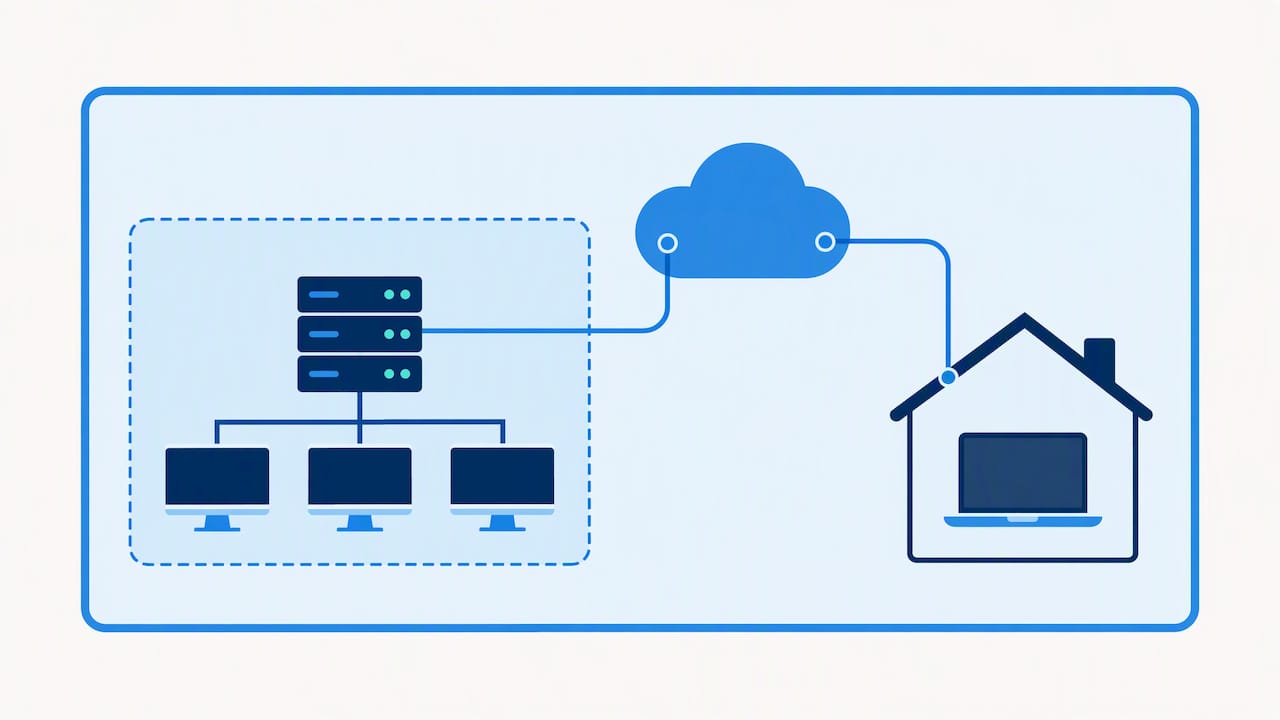
Cloud services and remote or home-working devices are the parts most SMEs try to leave out, and they cannot be. If staff access Microsoft 365, Google Workspace or any cloud platform to do their job, those accounts are in scope. If someone works from a laptop at home, that device is in scope too, regardless of who owns it.
The current published requirements are version 3.3, which took effect on 27 April 2026, and they set out exactly what each control means in practice. Before you start preparing answers, it’s worth reading the requirements document itself rather than relying on summaries, since wording changes between versions can shift what counts as compliant.
In plain terms, the scheme covers:
- Firewalls that control traffic at your network boundary and on individual devices.
- Secure configuration of every device and service, removing anything unnecessary.
- Security update management, keeping software current and supported.
- User access control, limiting who can do what.
- Malware protection, active on every device that can reach the internet.
Practical checklist: the five technical controls you must meet
Each control has specific, checkable requirements. Working through them in order, before you touch the self-assessment questionnaire, saves time later.
- Firewalls. Confirm every internet-facing service sits behind a correctly configured boundary firewall, and that software firewalls are switched on and configured on laptops, desktops and mobile devices that connect to untrusted networks.
- Secure configuration. Remove or rename default accounts and passwords, disable unused services, and uninstall software you no longer use. Unsupported software anywhere in scope is one of the most frequent reasons assessments stall.
- Security update management. Only run software that’s still supported by its vendor, and apply critical or high-risk updates within 14 days of release for operating systems and router or firewall firmware.
- User access control. Apply least privilege as standard: most staff should not have admin rights on their own machines, administrator accounts should be separate from day-to-day accounts, and multi-factor authentication is required for all cloud service administrators.
- Malware protection. Every device in scope needs active, automatically updated anti-malware software, or an equivalent control such as application allow-listing where that’s a better fit for the device type.
Pro Tip: Build your asset list before you look at a single question on the form, it’s far easier to answer accurately when you already know exactly what’s in scope.
Most of the preparation work is unglamorous: checking patch levels, auditing admin accounts, turning on MFA that’s already available but unused. None of it requires specialist tools, but it does require someone with the authority to make changes across the business, not just within IT.
Cyber Essentials vs Cyber Essentials Plus: which do you need?
Cyber Essentials and Cyber Essentials Plus assess exactly the same five controls. The difference is how that compliance gets verified.
Standard Cyber Essentials is a verified self-assessment: you answer a detailed question set, a board-level signatory confirms accuracy, and a qualified assessor marks your answers. Cyber Essentials Plus adds independent technical testing, including internal and external vulnerability scans and hands-on checks of a sample of your devices and internet gateways.
- Choose standard Cyber Essentials when a tender or client simply asks you to hold the certificate, with no mention of independent verification.
- Choose Plus when a contract specifically requires third-party technical evidence, which is common in public sector supply chains and larger corporate frameworks.
- Sequence them by completing standard certification first, then booking a Plus audit. Under current IASME rules, a Plus assessment generally needs to be completed within three months of a recent self-assessment result if you’re relying on that result to sequence the two.
Most SMEs only ever need standard Cyber Essentials. Plus becomes relevant once a buyer explicitly asks for it, so it’s worth checking contract terms before committing to the extra testing and cost.
Step-by-step: prepare, scope and complete certification
Treat this as a project with an owner, not a form someone fills in between other tasks.
- Define scope and build an asset list. List every device, cloud service, hosted website and MSP-managed account that touches your business, including BYOD and home-working kit.
- Preview the question set. IASME publishes a preview of the self-assessment questions, so you can see exactly what you’ll be asked before you pay.
- Run the Readiness Tool. NCSC’s free tool flags obvious gaps and gives you a realistic sense of how much remediation work lies ahead.
- Appoint your board-level signatory early. Someone senior has to take formal responsibility for the accuracy of your answers, and involving them late in the process causes delays.
- Remediate, then submit. Fix the gaps the Readiness Tool and your own audit surface, particularly unsupported software, missing MFA and unclear scope boundaries, before you submit your answers for marking.
On timing: once you’ve paid and gained portal access, you typically have six months to complete and submit your assessment, and assessors usually respond to submissions quickly. Certification is valid for 12 months, after which you renew against whatever requirements version is current at the time.
Government figures show certification uptake is rising fast: a growing share of small businesses held Cyber Essentials in 2025/2026, up from 5% the year before, a sign that more buyers are starting to expect it as standard.
Costs, timelines and practical expectations for UK SMEs
Cost scales with organisation size, since a larger estate means more to check and more that could be wrong.
- IASME’s published price bands set starting prices by organisation size, from micro businesses through to large organisations, with Cyber Essentials Plus quoted separately per audit because its scope and testing effort vary by organisation.
- Prices quoted by IASME are generally exclusive of VAT, so budget for that on top of the headline figure.
- You have up to six months from payment to complete your self-assessment, and the certificate then runs for 12 months before renewal is due.
- Free support exists throughout: the NCSC Readiness Tool, the Knowledge Hub, and the Cyber Advisors directory connect SMEs with assured specialists who can review scope and readiness before you commit to an assessment fee.
None of this requires a large budget relative to most SME IT spend, but it does require someone to own the process from scoping through to renewal, rather than treating it as a single purchase.
Business benefits and supply-chain use of Cyber Essentials
Certification exists mainly to answer a question other people ask you: can you show you take basic security seriously? Government contracts frequently specify Cyber Essentials as a baseline requirement, and NCSC’s supply-chain guidance encourages larger organisations to push the same expectation down through their own suppliers, which is increasingly how SMEs end up needing it even without a direct government contract.
- Procurement credibility. Holding the certificate removes a common blocker in supplier questionnaires and tender pre-qualification stages.
- What it actually proves. The certificate is an indicator of baseline technical controls at a point in time, not a guarantee of complete risk management, so don’t present it as more than that to customers.
- Publish scope and dates clearly. When you share your certificate, include what was in scope and when it was issued, since a vague or outdated reference undermines the assurance it’s meant to provide.
- Cyber Liability Insurance. Qualifying SMEs certified to standard Cyber Essentials can receive free cyber liability cover arranged through IASME as part of certification, a useful extra worth checking when you apply.
How a managed digital partner can help you get certified
A lot of Cyber Essentials remediation work overlaps with ordinary good IT housekeeping, which is why many SMEs find it faster to tackle with existing financial controls for growing UK SMEs rather than from scratch.
- Asset inventory and hardening. Mapping devices, accounts and cloud services against the five controls, then closing the obvious gaps.
- Patch and update management. Keeping operating systems, firmware and applications on supported versions within the required update windows.
- MFA rollout and Microsoft 365 hardening. Enabling multi-factor authentication for cloud administrators and tightening Microsoft 365 configuration against ransomware, one of the most common gaps found during self-assessment.
- Backup and recovery. Putting tested backup and recovery measures in place alongside certification, since Cyber Essentials covers prevention but not what happens if something still gets through.
An NCSC-assured Cyber Advisor is the right call for an independent readiness review or scoping question. Ongoing managed IT support is the better fit once you know what needs fixing and want it done and kept current, rather than diagnosed and handed back to you.
Author perspective: pragmatic advice for SME owners
The mistake I see most often is SMEs treating Cyber Essentials as a one-off project: get certified, file the certificate, move on. The controls only protect you while they’re actually maintained, and a renewal twelve months later with a vague memory of what was in scope is a weak position to be in. Document your scope properly the first time, keep a simple record of what changed in between, and treat the annual renewal as a check-up rather than a fresh start.
— Rob
Cloud 9: managed services to speed your Cyber Essentials journey
Most of the groundwork for Cyber Essentials, patching, access control, MFA, backup, is exactly the kind of ongoing work handled by managed support providers for established UK businesses as part of ordinary managed support, not a special project.
We help SMEs close the gaps that most often hold up certification:
- Microsoft 365 hardening and MFA rollout through our Microsoft 365 support service, covering admin separation and ransomware protection.
- Backup, security and recovery arranged through our backup, security and recovery service, so prevention and recovery sit together.
- Managed cloud configuration via our managed cloud services, useful when scoping which cloud accounts and services need to be included.
If you already know your gaps, get in touch and we’ll scope the work directly. If you’re not sure where to start, our full range of services covers the technical groundwork most SMEs need before an assessor ever sees your answers, and onboarding is built to be straightforward even if you don’t have in-house IT expertise.
FAQ
What is Cyber Essentials and do I need it?
Cyber Essentials is a UK government-backed certification scheme that verifies five baseline technical controls protecting against common internet threats. You need it if a customer, tender or insurer asks for it, or if you want a straightforward way to demonstrate basic security practice.
How much does Cyber Essentials cost for a small business?
Cost depends on your organisation’s size, with IASME publishing starting price bands for micro, small, medium and large organisations, plus VAT. Cyber Essentials Plus is priced separately per audit because the testing scope varies.
How long does Cyber Essentials certification take?
You generally have up to six months from payment to submit your self-assessment, and assessors usually respond quickly once you submit. The certificate is then valid for 12 months before renewal.
What’s the difference between Cyber Essentials and Cyber Essentials Plus?
Both assess the same five technical controls, but Plus adds independent technical testing, including vulnerability scans and sampled device checks. Most SMEs only need standard certification unless a specific contract requires Plus.
Does Cyber Essentials cover cloud services like Microsoft 365?
Yes, any cloud service your staff use to do their job, including Microsoft 365 or Google Workspace, must be included in your certification scope. This also covers remote and home-working devices that access those services.
Sources
- Cyber Essentials overview – NCSC
- Preview the Self-Assessment questions for Cyber Essentials – IASME
- Gov