Document Summarisation with AI: A Practical Guide for UK Teams

AI can summarise a long report, contract, PDF or meeting transcript in seconds, and for a first read it is often good enough. The harder questions are the ones a COO or operations lead actually faces: which documents are safe to feed in, who checks the output, and where the summary goes afterwards. A summary that sits in a chat window saves minutes. One that lands in your CRM, case system or member record, with a link back to the source, changes how a team works.
This guide covers the three levels of document summarisation, the tools most people already have, the UK GDPR limits, and how to build a process you can defend.
TL;DR
- Off-the-shelf tools handle one-off summaries well. The value, and the risk, appears when summaries feed decisions or records.
- Every summary should link back to its source and be reviewed by a named person wherever the outcome affects a customer, member, candidate or employee.
- Documents with personal data fall under UK GDPR. You need a lawful basis, data minimisation and often a DPIA before you automate.
- Do not use AI summaries as the final word on contracts, disciplinary matters, safeguarding or regulated advice.
- The step most organisations skip is connecting summaries to the systems where work happens.
Table of Contents
- What AI document summarisation actually does
- Where UK organisations are with AI summarisation
- Three levels of summarising documents with AI
- Where AI summarisation should not be the last word
- UK GDPR: what to settle before you summarise personal data
- A practical process for summarising documents with AI
- Meeting notes: the easiest win, with its own caveats
- Turning summaries into something the business uses
- Our view: summaries are only as good as the system around them
- How Cloud 9 can help
- FAQ
- Sources
What AI document summarisation actually does
A large language model reads the text you give it and writes a shorter version. There are two broad styles. An extractive summary pulls out the key sentences as written. An abstractive summary rewrites the content in new words, which reads better but can introduce errors: a figure moved to the wrong clause, a caveat dropped, a conclusion stated more firmly than the document states it.
That last risk is why summarisation needs process around it. The model is not checking facts against the world. It is compressing what you gave it, and sometimes it compresses badly.
The same technique covers several jobs people search for separately:
- PDF and report summaries: board papers, tender documents, policy consultations, research.
- Meeting notes: a transcript turned into decisions, actions and owners.
- Case and correspondence histories: a long email thread or support ticket condensed before a handover.
- Multi-document briefings: several sources combined into one brief, which is the hardest to get right.
Where UK organisations are with AI summarisation
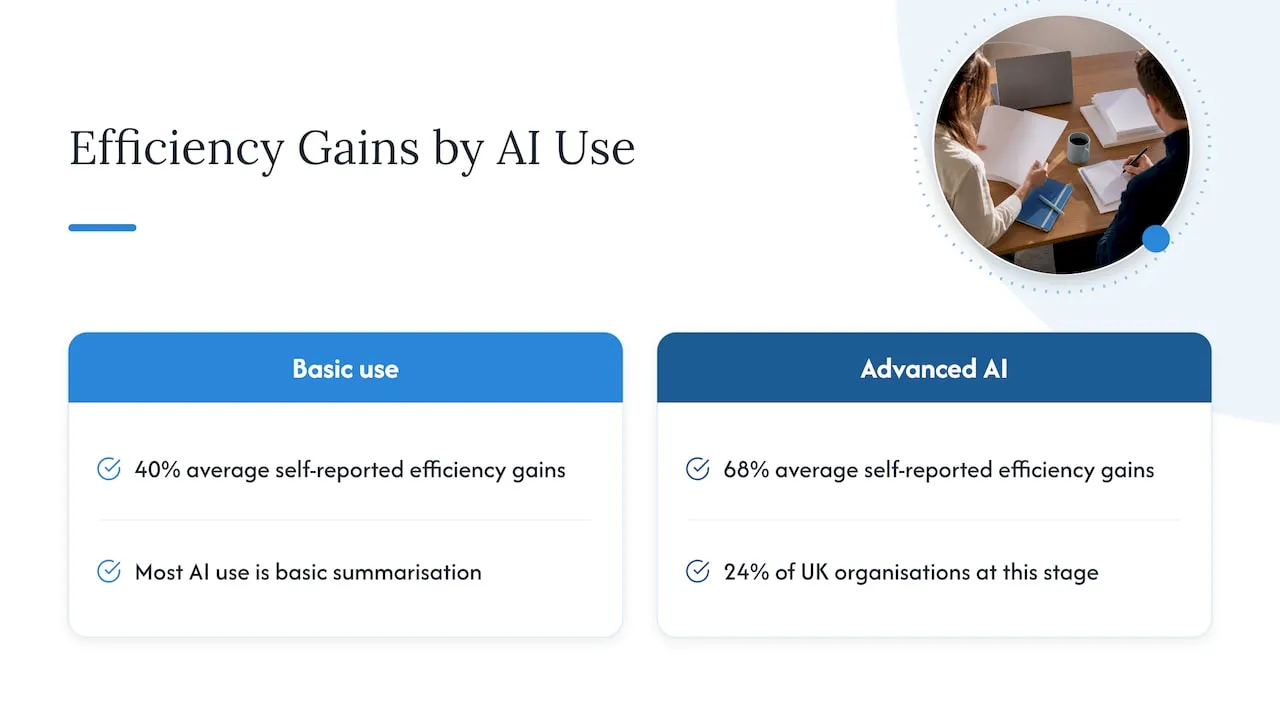
Summarisation is the entry point for most. A 2026 AWS report found 64% of UK organisations now use AI, up from 52% the year before. Most of that use is basic, such as summarising documents. Only 24% have reached an advanced stage where AI is embedded in core processes and decisions.
The same report says adopters of advanced AI report average efficiency gains of 68%, against 40% for basic use. Treat those as self-reported survey figures rather than a promise for your business. The direction is still useful: the gap between “someone pastes a PDF into a chatbot” and “summaries flow into the work” is where the larger gains sit.
Three levels of summarising documents with AI
Level 1: individual use of ready-made tools
Staff paste text or upload a file into a general tool. It is quick, cheap and ungoverned. You cannot see what is being uploaded, and results vary by person and prompt.
The mainstream options are now capable. Copilot in Word can summarise documents of up to 80,000 words, and Adobe Acrobat’s PDF summariser links each summary back to the source so you can check it in a click. That source-linking feature is the one to look for in any tool, because it makes review fast.
Good for: reading a public report, a first pass over a long paper, tidying your own notes. Not good for: anything containing personal data unless your organisation has approved the tool and its data terms.
Level 2: a governed tool within your existing platform
If you already run Microsoft 365 or Google Workspace, summarisation inside those tools keeps documents within your existing permissions and tenancy. The work here is deployment: deciding who gets access, what sources the assistant may read, what it must never touch, and training people to check what it writes. This is a rollout and policy job more than a technical one.
Level 3: summarisation connected to your systems
Here the summary is not the end product. It becomes an input. A few examples from the sectors we work with:
- Membership body or trade association: a long consultation response is summarised for the policy team, each point tagged to the section it came from, and the summary is attached to the relevant committee record.
- Recruitment firm: call notes and candidate documents are condensed into a consistent profile and written to the CRM for a consultant to review before anything is sent to a client.
- Security or professional services firm: a long client email thread is summarised at handover so the next person sees the position, open actions and who promised what.
- Charity: case notes are condensed for a trustee report, with identifying details removed and a person signing off.
- Ecommerce: a month of customer reviews and returns reasons summarised into themes for the operations lead.
This is the step the AWS report points to: moving from basic to advanced use. The summary only matters if it reaches the place where someone acts on it.
Where AI summarisation should not be the last word
Be sceptical here. A confident, well-written summary is persuasive, which makes its mistakes harder to spot. Keep a person firmly in control in these situations:
- Contracts and legal documents. Use a summary to orient yourself, never to decide what a clause means or whether a risk is acceptable. Someone qualified reads the original.
- Decisions about individuals. Hiring, disciplinary, performance, safeguarding, benefits or complaints outcomes should never rest on a machine summary alone.
- Regulated advice. For firms regulated by the FCA, SRA or CQC, the question shifts from whether you can use AI to whether you can explain and defend the outcome. One UK industry guide recommends summaries that always link to the verified original, so the reviewer can check accuracy instantly. We agree.
- Numbers. Totals, dates, thresholds and deadlines should be checked against the source every time.
- Anything long and ambiguous. Summaries of conflicting documents tend to smooth over the conflict. That is exactly what you needed to see.
A workable rule: the higher the consequence of an error, the more the summary is a pointer to the document, not a replacement for it.
UK GDPR: what to settle before you summarise personal data
If a document contains personal data, summarising it is processing under UK GDPR. That covers CVs, HR notes, client reviews, case files and member records. Guidance from CamoText sets out the practical obligations: a lawful basis, data minimisation, and often a Data Protection Impact Assessment where there is significant risk to individuals. It notes that the Data (Use and Access) Act 2025 keeps these core obligations, and that the ICO expects you to show why personal data, rather than anonymised data, is needed at each stage.
In practice, ask these questions before any rollout:
- Is personal data needed at all? Often a summary of themes works without names.
- What is the lawful basis, and have people been told in your privacy notice?
- Where does the data go? Check whether your tool provider stores prompts, uses them for training or processes them outside the UK, and what the contract says.
- Have you done a DPIA where the processing is large-scale, sensitive or affects decisions about people?
- Have you dealt with metadata? Simply redacting names is not enough. The same guidance warns that edit histories, author tags and property fields can still identify people, and says a DPIA should cover file-level metadata as well as content.
- Is a significant decision being made solely by automated means? The rules on automated decisions were reworked, and one 2026 compliance guide says Articles 22A to 22D have been in force since 5 February 2026. Keeping a person genuinely involved in the decision is the safest design.
This is a general outline, not legal advice. For anything involving special category data, such as health information, or a high-risk use, speak to your data protection officer or a solicitor who specialises in data protection before you go live.
A practical process for summarising documents with AI
Whether you use a tool off the shelf or have something built, these steps hold up.
- Pick one document type with a clear cost. Board papers, inbound tenders, case notes or call transcripts. Pick the one where people already complain about the reading.
- Write down what a good summary contains. Decisions, dates, amounts, risks, actions, owners. A template beats “make it shorter”.
- Define approved sources. Which folders, mailboxes or systems may the AI read, and which are off limits?
- Require source links. Each point in the summary should point to the passage it came from.
- Name the reviewer. Not “the team”. One role, who accepts, edits or rejects the summary.
- Test on known documents. Take 20 documents your staff have already summarised by hand. Compare. Count omissions and invented details, not just how readable it is.
- Record the outcome. Log who approved what and when. If someone asks later why a decision was made, you can show the original and the review.
- Route the result. Send the approved summary to the CRM, case record, shared channel or report where it will be used.
Step 6 is the one most often skipped, and the one that tells you whether the tool is fit for your documents.
Meeting notes: the easiest win, with its own caveats
Meeting summaries are popular because the pain is obvious: nobody wants to write minutes. Tools built into video platforms, such as Zoom’s AI note taker, capture conversations and produce notes so people can concentrate on the discussion.
The cautions are practical rather than technical:
- Tell participants when recording or transcription is on, and check your policy for external calls with clients or members.
- Actions are the part to verify. A model can attribute an action to the wrong person or miss one agreed with a nod.
- Sensitive meetings (HR, disciplinary, safeguarding, board discussions on legal matters) usually should not be transcribed by a general tool at all.
- Notes are more useful when actions land as tasks in the system your team actually uses, not in a document nobody reopens.
Turning summaries into something the business uses
Most summarisation projects stall at the point where the output is pleasant to read and then ignored. The fix is integration. A summary that is attached to the right contact, matter, member or order, and that triggers the next step, is part of a process. If you want to see how this works on the sales side, our pilot on AI CRM data entry shows how call and email content can be captured into records with ICO-ready controls and a person reviewing. Our guide to what to deploy first in CRM AI automation covers sequencing.
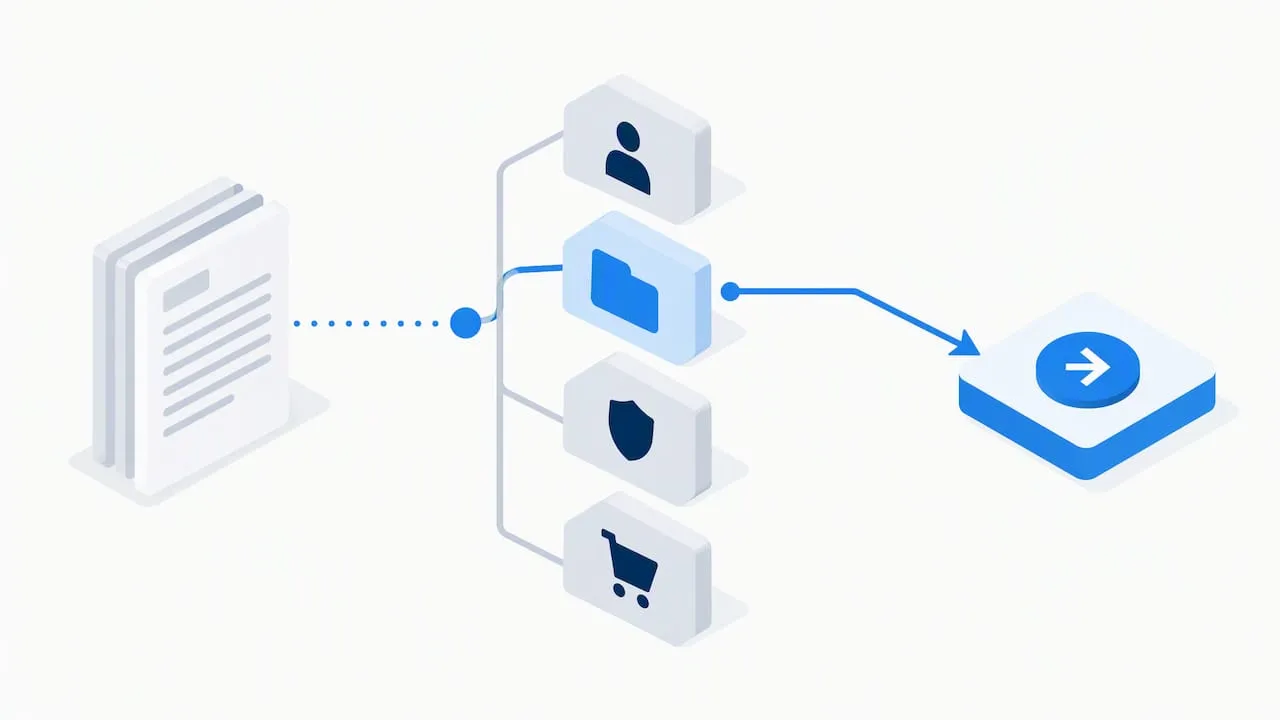
For teams that want staff to ask questions across their own policies, contracts and past work rather than summarise one file at a time, the better pattern is a knowledge assistant limited to approved sources, answering with links to the originals. We cover that in our piece on governance-first internal AI assistants.
It also helps to see how AI is being applied across other business functions, as in this overview of AI in digital marketing strategies. It is written for US businesses, so treat the legal and data points as American, but it shows how automated outputs are being fed into wider workflows.
Our view: summaries are only as good as the system around them
We have spent more than 20 years connecting websites, databases, CRMs, APIs and membership systems, and that history shapes how we see summarisation. The model is the easy part. The difficult parts are the ones nobody demos.
First, where does the document come from, and who is allowed to see it? In a membership organisation, a committee paper and a member’s complaint sit in different places with different permissions. An assistant that ignores that is a data breach waiting to happen.
Second, where does the summary go? If it is not written back to the record a colleague will open tomorrow, it has no operational value. This is the difference between a nice tool and a changed process.
Third, who is accountable? We build with a person in control wherever the outcome matters: human review, approved sources, clear data boundaries and UK GDPR considered from the start, not after launch. We would rather tell a client that a particular document type should stay manual than sell them an automation that creates risk.
Our advice to leadership teams is to start narrow. One document type, one reviewer, one destination system, and a measured comparison with the manual process. If it saves time and survives review, widen it. If it doesn’t, you have spent very little finding out.
— Rob
How Cloud 9 can help
We work with established UK organisations, including membership bodies and trade associations, recruitment, security, charities, ecommerce and professional services firms. We help you find where AI can save time, then design, build and support it, including AI chatbots and internal knowledge assistants that answer from your approved documents, and AI and systems integration that connects summaries to your CRM, database or membership system. If you are not sure where to begin, our AI services start with strategy and readiness. We do not publish prices for these services.
FAQ
Can I use ChatGPT or a similar free tool to summarise documents at work?
For public or non-sensitive material, often yes, subject to your organisation’s policy. Do not upload documents containing personal data, client confidences or commercially sensitive terms to a tool your organisation has not approved. Check the provider’s data terms first, and ask your data protection lead if you are unsure.
How accurate is AI document summarisation?
It varies with the document, the tool and the prompt. Summaries can omit caveats, misstate figures or sound more certain than the source. The reliable approach is to require source links, check numbers against the original and test on documents you have already summarised by hand.
Is it legal to summarise documents with AI in the UK?
There is no general ban. If the documents contain personal data, UK GDPR applies, so you need a lawful basis, data minimisation and, for higher-risk uses, a DPIA. Copyright is a separate question for third-party material such as books and paid reports, so check the licence terms or take legal advice.
Can AI summarise a PDF with scanned pages or tables?
Some tools can, but scanned pages depend on text recognition quality, and tables are a common source of errors. Check any figure drawn from a table against the original.
What is the difference between a summary tool and a knowledge assistant?
A summary tool condenses one document you give it. A knowledge assistant answers questions across a set of approved documents and should cite where each answer came from. The second needs more setup but suits teams who repeatedly search the same policies, contracts or past cases.
Sources
- New AWS report reveals that nearly two-thirds of UK organisations now use AI
- GDPR, UK Data Protection & AI: How to Comply When Using LLMs with Commercial Documents
- RAG Explained: How UK Businesses Use Retrieval-Augmented Generation in 2026
- GDPR and AI: UK CISO Compliance Guide
- AI summarizer with Copilot in Word
- Adobe Acrobat AI summary generator
- Zoom AI note taker