Lead Routing Automation: A Practical Guide for UK Teams

Lead routing automation means a system, not a person, decides who owns each new enquiry and how fast they must act on it. It works when the rules reflect how your organisation sells today, when a timer catches leads nobody picks up, and when someone tests the whole flow regularly. AI can sharpen the rules, but it should not be the whole mechanism.
This guide is for operations, sales and marketing leads at established UK organisations: recruitment firms, professional services, membership bodies, security companies, charities and ecommerce businesses. It covers the routing methods that matter, the points where routing quietly fails, where AI genuinely helps and where it does not.
TL;DR
- Routing is a speed problem first. UK research puts the average lead response time at 47 hours, with only 7% of businesses replying within 5 minutes.
- Assignment is the easy part. A timer that reassigns uncontacted leads is what turns a response target into an operating rule.
- Start with plain rules (territory, service line, size, source), add weighted round robin where it fits, and use AI only to enrich or score, with a person reviewing consequential decisions.
- Most failures come from out-of-date territory and queue logic, not from the software. Audit by tracing test submissions end to end.
- Under UK GDPR, keep routing explainable and keep a route to human review.
Table of Contents
- What lead routing automation actually does
- Why speed is the real business case
- The main routing methods, and when each fits
- Add the clock: SLA enforcement
- Where routing goes wrong
- How to audit your routing in an afternoon
- Where AI helps with lead routing
- Where AI should not decide
- UK GDPR and automated routing
- A sensible rollout plan
- Our perspective
- Talk to us about routing and CRM automation
- FAQ
- Sources
What lead routing automation actually does
A lead arrives from a web form, a phone call log, a chatbot, an event list or a membership application. Routing automation does three jobs:
- Qualify enough to decide. It reads fields such as sector, size, location, service interest and source.
- Assign an owner. A named person, a team queue or a shared inbox receives the lead in your CRM.
- Enforce a response. It notifies the owner, starts a clock, and escalates if nothing happens.
Most CRMs can do the first two natively. The third, and the connections to your forms, databases and other systems, is where projects stall. If you are choosing what to automate first in your CRM, our piece on what to deploy first in CRM AI automation puts routing in context.
Why speed is the real business case
The 2024 UK study from Made Smarter reports that 78% of B2B buyers end up buying from the first firm to respond, while the average response takes 47 hours. Treat those as the report’s figures rather than a law of nature, but the direction is hard to argue with. A lead that sits in a general inbox over a weekend is a lead your competitor may answer on Monday morning.
That is the case for routing automation: not cleverness, just removing the delay between enquiry and a competent human reply.
The main routing methods, and when each fits
| Method | How it works | Best for | Watch out for |
|---|---|---|---|
| Rule-based (territory, sector, service) | Fields on the lead decide the owner | Firms with clear specialisms, such as a recruiter with sector desks | Rules drift as teams change |
| Round robin | Leads rotate evenly between reps | Similar leads, similar skills, such as a small sales team handling general enquiries | Ignores skill, capacity and holidays |
| Weighted round robin | Some reps get a larger share | Teams with mixed experience or part-time staff | Weights need review each quarter |
| Account-based | Existing customer or named account goes to its owner | Membership bodies, professional services with ongoing clients | Needs clean, matched records |
| Score-based | A lead score sets the queue or priority | High volumes with varied quality | Only as good as the scoring model |
Round robin, and how to make it fairer
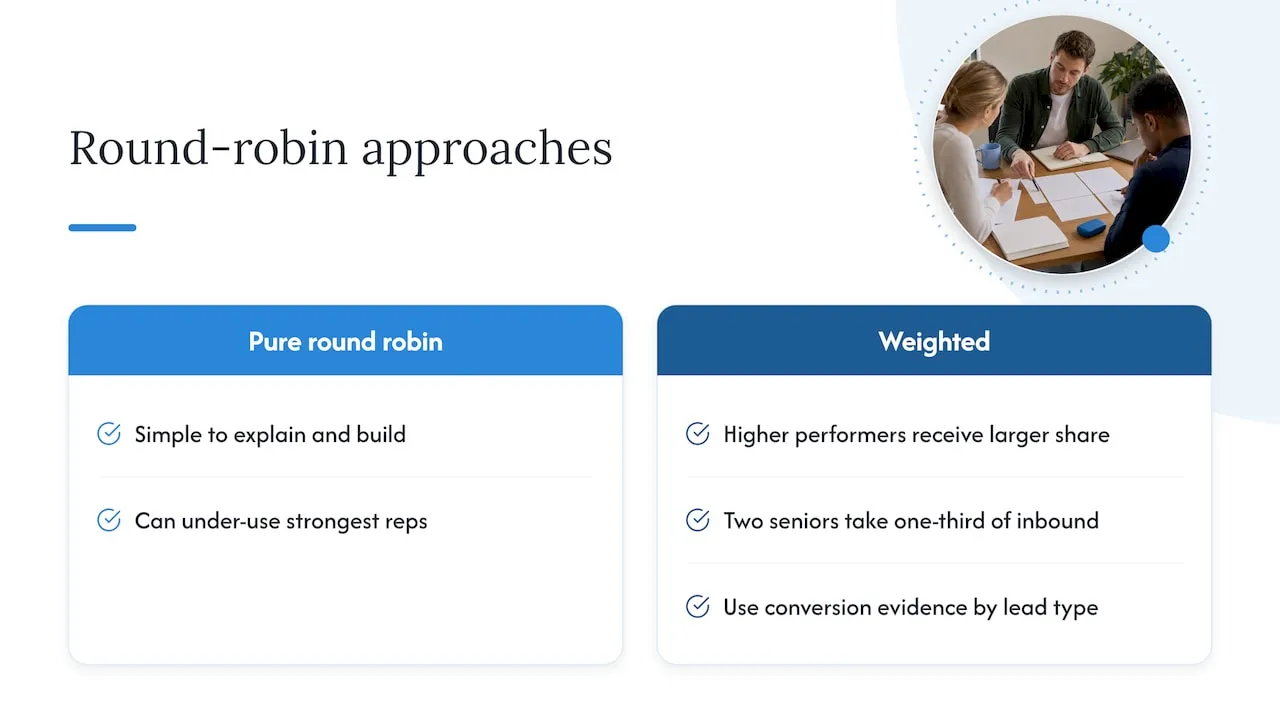
Pure round robin is simple to explain and simple to build. Practitioners at LeanData note that it often under-uses your strongest people, and recommend weighted distribution so that higher performers receive a larger share. For a ten-person team that might mean two senior reps take a third of inbound leads between them. Be careful, though: weights should reflect evidence such as conversion by lead type, not hunches, and you should tell the team how they work.
Two practical additions make round robin far more usable: skip anyone marked absent, and cap how many unworked leads one person can hold.
Rules before models
Practitioners warn against over-engineering early routing rules, and we agree. A typical first version for a UK professional services firm might read:
- Existing client? Route to the account owner.
- Enquiry about a named service line? Route to that team’s queue, then round robin within it.
- Outside UK or outside your service area? Route to a triage owner.
- Everything else: general queue with a 15-minute clock.
Four or five rules, tested and understood, beat thirty that nobody can explain.
Add the clock: SLA enforcement
RevOps guidance on CRM automation makes a point worth repeating. Assignment alone does not fix response times. Without a timer that reassigns a lead left uncontacted for 10 to 15 minutes, a response target is an aspiration rather than a process.
A workable escalation ladder:
- Lead assigned, owner notified by email and chat.
- After 10 minutes with no logged activity, remind the owner and alert their manager.
- After 15 minutes, reassign to the next available person in the same queue.
- Out of hours, send an acknowledgement and queue the lead for the first slot next working day.
Choose thresholds that suit your business. A recruitment firm answering candidates and clients in the same day needs a tighter clock than a charity processing corporate partnership enquiries. The point is that the clock exists and someone owns it.
Where routing goes wrong
Territories and queues that no longer match the business
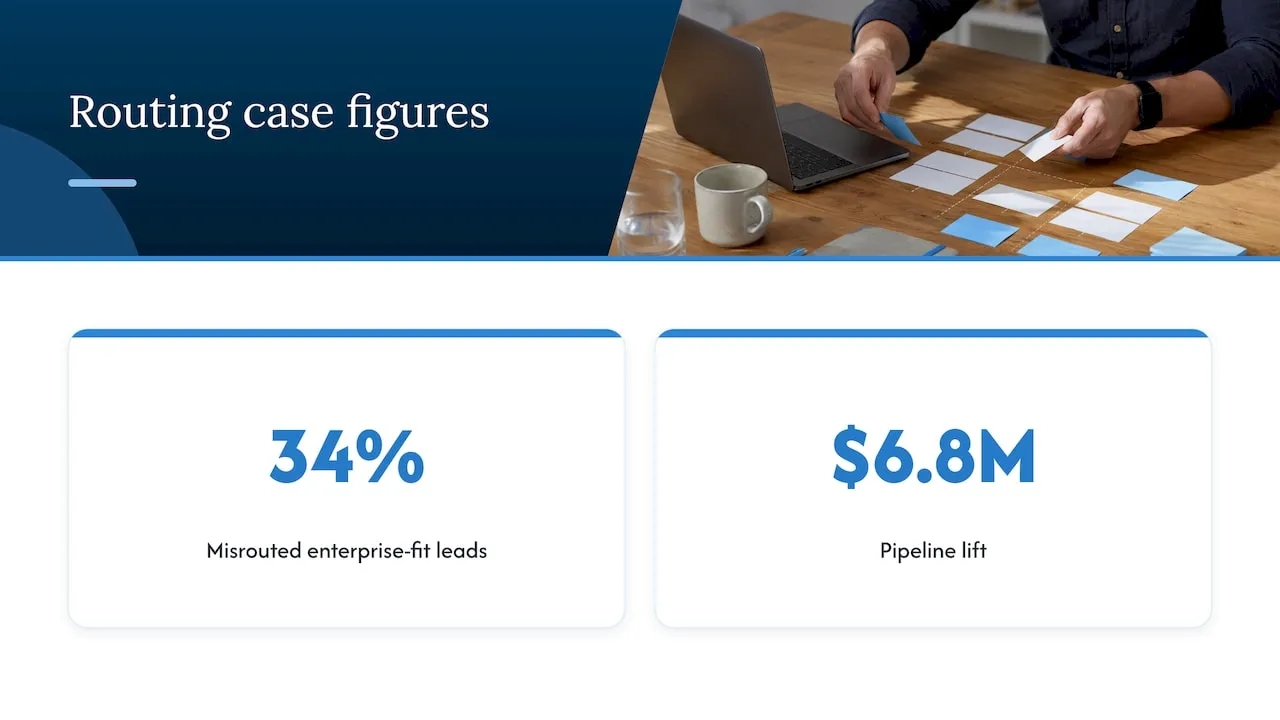
One published case study found that 34% of enterprise-fit leads were being misrouted to SMB queues where they could not be closed. After the team realigned queues with the current ideal customer profile and enforced a 5-minute SLA on high-intent inbound, the company reported a $6.8M pipeline lift. That is one US company’s own account, not a benchmark, but the cause will be familiar: the rules described a sales organisation that no longer existed.
UK examples are easy to imagine. A membership body restructures its regions but the join form still routes by the old ones. A security firm launches a managed service but leads still land with the installation team. Whenever your team structure, services or pricing tiers change, routing rules change with them. Our guidance on aligning sales and marketing with governance first covers how to agree those definitions across teams.
Silent data loss
Forms that post to a CRM can fail without anyone noticing: a blocked webhook, a required field mismatch, a duplicate-matching rule that merges two different people. This is why a routing audit should trace real test submissions through every handoff (form to CRM, CRM to owner, owner to calendar) rather than trusting a single CRM status.
Duplicates and existing relationships
A lead from an existing member or client routed to a new-business rep is embarrassing and costly. Match on email and company before any assignment rule fires, and route known contacts to their owner.
How to audit your routing in an afternoon
A full audit is a continuous discipline, but a first pass is quick:
- Submit test leads through each real entry point: every form, chatbot and email-to-CRM route. Use varied values: different sectors, regions, company sizes.
- Check each handoff. Confirm the record exists once, has the right owner, and triggered a notification.
- Let a lead go stale on purpose. Does the timer fire and reassign it?
- Test the edges: a blank field, a free-email address, an existing client, a rep on leave.
- Review ten real leads from last month. Were they with the right person, and how long did first contact take?
- Keep an audit trail. You should be able to see why a lead went where it did. The same principle applies to any approval flow, as in this overview of workflow controls that auditors can trace.
Repeat quarterly and after any change to teams, services or forms.
Where AI helps with lead routing
AI is useful around the edges of routing, where rules struggle with messy information.
- Reading free-text enquiries. A model can classify a paragraph typed into a contact form as a recruitment enquiry, a complaint or a supplier pitch, and pass a suggested category to your rules.
- Enrichment. Matching a company name to size and sector so the rules have something to work with.
- Scoring and prioritisation. Ranking leads by likelihood to convert, based on your own history. See our guide to lead scoring models that actually work.
- Instant first response. An assistant can acknowledge an enquiry and gather missing details while the human owner is alerted. Our work on AI agents covers this kind of design.
The pattern we recommend is AI proposes, rules decide, a person owns the outcome. The routing logic stays readable, and the AI component can be swapped or switched off without breaking the flow.
Where AI should not decide
- Anything that gates service. If a score decides whether a member, client or donor gets a response at all, or a lower tier of service, that is a consequential decision. Keep a person in the loop.
- Sensitive data. Do not feed health, ethnicity or other special category information into routing or scoring models.
- Low volume. If you get twenty enquiries a week, a simple rule and a shared queue is better than a model you cannot explain.
- Messy data. AI on top of duplicate, outdated CRM records will route confidently and wrongly. Clean the data first.
- Unapproved tools. Do not paste lead details into a public chatbot. Set data boundaries for what any AI service can see.
UK GDPR and automated routing
Routing a B2B enquiry to a salesperson is rarely a big legal question, but scoring and automated decisions about individuals deserve care. Commentary on the Data (Use and Access) Act 2025 suggests that for standard B2B contexts, predictive scoring and automated routing for commercial purposes can rest on legitimate interests, provided you stay transparent and keep a clear path to human review. That is a secondary source, so check the ICO’s current guidance and speak to your data protection officer or legal adviser before relying on it, especially for sole traders, consumers or anything touching special category data.
Practical guidance for CRM teams is to treat meaningful human review as a design principle: where an automated score affects access to a service or support tier, explain the logic in plain language and tell people they can contest the outcome. In practice:
- Record which fields and which model influenced each routing decision.
- Keep a named reviewer and an override button in the CRM.
- State in your privacy notice that enquiries are routed and scored automatically.
- Limit the data the model sees to what routing needs.
A sensible rollout plan
- Map the current flow. Where do leads arrive, who touches them, how long does first contact take? Pull a month of real data.
- Write the rules on one page. Agree them with sales, marketing and operations. If people disagree, you have found the real problem.
- Build in your existing CRM. Native assignment tools handle most needs. Connect forms and other systems through proper integration rather than manual exports.
- Add the timer and escalation.
- Audit, then switch on. Test every route before going live.
- Measure for 60 to 90 days. Track time to first contact, conversion by queue and the share of reassigned leads. Then decide whether AI scoring or classification earns a place.
A pilot approach like this mirrors our 60 to 90 day pilot for B2B marketing automation.
Our perspective
We have spent more than 20 years connecting websites, databases, CRMs, APIs and membership systems, and routing problems rarely start in the routing tool. They start in the join between systems: a form that does not pass the right field, a membership database that disagrees with the CRM, a team structure documented nowhere.
So we start with how the work actually happens, then build the smallest automation that has a clear business case. For routing, that usually means plain rules, a response clock and a clean connection to the systems you already run. AI comes in where it earns its place, such as reading free-text enquiries, and always with clear limits on data and a person in control where a decision matters.
We are sceptical of routing pitched as a magic AI feature. If a vendor cannot show you why a lead went to a particular person, you should not let it make that decision.
— Rob
Talk to us about routing and CRM automation
If your leads pass through several systems before anyone picks them up, our CRM and AI lead automation work is built for exactly that: connecting your CRM, forms and databases, adding routing, response timers and AI where it is safe to use it. You can see the full range on our services page.
FAQ
What is the difference between lead routing and lead scoring?
Scoring ranks how promising a lead is. Routing decides who handles it and how quickly. They work together, but you can route well without scoring at all, using territory, service line or account ownership.
Is round robin the best way to distribute leads?
It is a sound default when leads and reps are similar, because it is fair and easy to explain. If your team varies in experience or capacity, weighted round robin usually works better, with absent staff skipped and a cap on unworked leads per person.
How fast should leads be contacted?
As fast as your team can sustainably manage, with a defined clock rather than a hope. UK research reports a 47-hour average response, so a 15-minute reassignment rule during working hours would already put you far ahead.
Can AI assign leads automatically under UK GDPR?
Often yes for ordinary B2B enquiries, but it depends on the data and the effect on the individual. Keep decisions explainable, avoid special category data, and keep a route to human review. Check the ICO’s guidance and take legal advice for anything affecting access to services.
Sources
- The Lead Response Crisis: How Poor Response Times Cost UK SMEs (Made Smarter)
- Series B Lead Router Rebuild case study (MV3 Marketing)
- CRM Automation Playbook: Webhooks, Rate Limiting and SLAs
- Round Robin Lead Distribution Best Practices (LeanData)
- Lead Routing Audit: 13 Stages, 36 Tests, 6 Failure Types
- AI marketing in the UK: 2026 guide to trends, tools and regulations
- GDPR Article 22 and AI Decisions in CRM (CRM Curator)