For most established UK businesses, the right platform choice is a managed, self-hosted WordPress build delivered by a specialist partner. That recommendation holds whether your priority is long-term organic growth, CRM integration, or simply not being held hostage by a proprietary SaaS vendor when you want to migrate in three years.
Why WordPress? Because technical SEO control — schema markup, URL patterns, metadata, canonicals, robots.txt — lives at the code level, not in a dashboard widget. Platforms that abstract that away trade your long-term ranking potential for a faster launch.
Trade-offs at a glance:
- Managed WordPress (Cloud 9): Full SEO ownership, portability, integration depth. Higher initial investment; needs a capable partner to manage it well.
- SaaS builders (Wix/Squarespace/Shopify): Faster to launch, lower maintenance burden. Limited technical SEO depth; migration costs and ranking disruption risk when you outgrow them.
- Headless CMS: Maximum flexibility for multi-channel publishing. Significant architectural complexity and ongoing developer cost.
Three checkpoints before you sign anything:
- Ask for a documented migration plan and rollback strategy.
- Request Core Web Vitals benchmarks from comparable client sites.
- Confirm the SLA covers updates, backups, and security patches.
Pro Tip: GDPR compliance is not just a hosting checkbox. Confirm your partner can document data processing arrangements, server locations, and third-party plugin data flows — all of which affect your legal position under UK GDPR.
Table of Contents
- Does your platform handle multilingual SEO properly?
- How does each platform handle performance and Core Web Vitals?
- Which platforms give you proper mobile SEO support?
- How easy is it to manage SEO content day-to-day?
- What do platforms actually cost over three years?
- What should you ask a platform vendor or agency before committing?
- Cloud 9: managed WordPress without the operational risk
- Key takeaways
- FAQ
Does your platform handle multilingual SEO properly?
Hreflang tags are the minimum. Platforms differ sharply on what sits above that baseline.
Self-hosted WordPress, with plugins such as WPML or Polylang, gives editorial teams a proper language management interface: per-language URL structures (/en/, /de/), separate metadata per locale, and granular control over which pages are translated versus excluded from indexing. That matters when you are targeting both UK and international audiences from a single installation.
Webflow supports multilingual publishing but requires careful manual configuration of hreflang and lacks the mature plugin ecosystem WordPress offers for complex regional taxonomies. Shopify’s multilingual support has improved, though it remains commerce-centric and less suited to content-heavy regional strategies.
Wix and Squarespace offer basic multilingual features, but neither gives you the URL structure control or the per-locale canonical management that a serious multiregional SEO programme needs. Headless CMS approaches (Contentful, Strapi) can handle multilingual content elegantly at the data layer, but the SEO implementation then falls entirely on your front-end team.
How does each platform handle performance and Core Web Vitals?
Performance is where platform choice becomes a ranking decision, not just a user experience one.
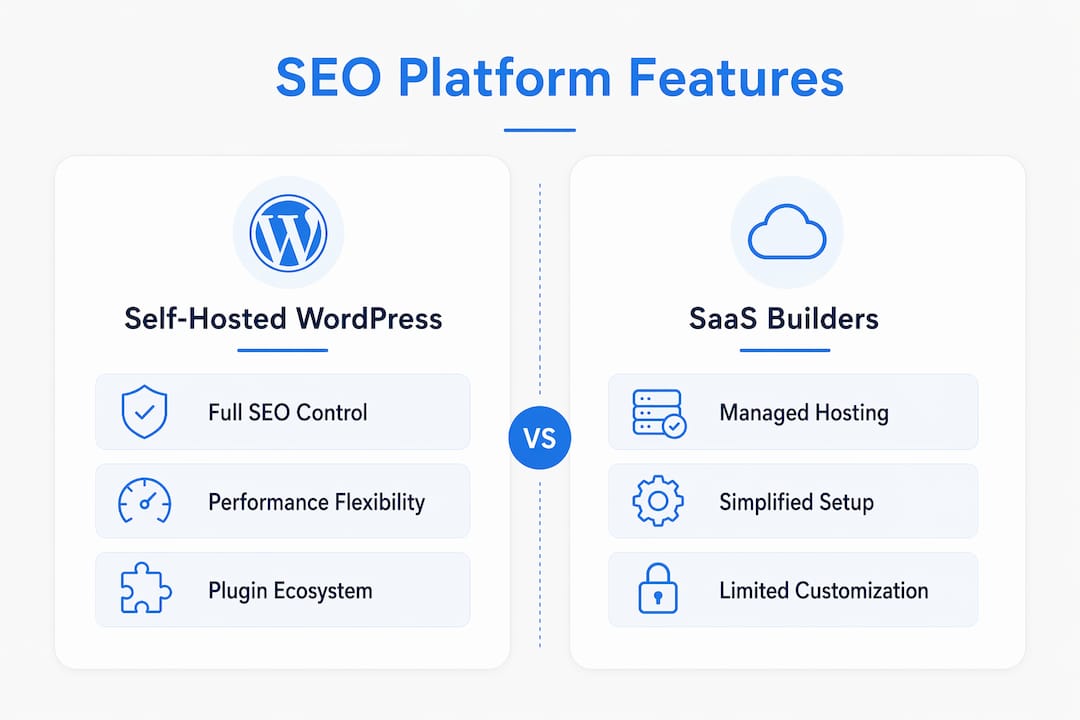
Self-hosted WordPress gives you full control: you choose the hosting stack, implement caching via WP Rocket or W3 Total Cache, connect a CDN such as Cloudflare, and apply image optimisation through plugins like ShortPixel. That control cuts both ways — a poorly configured WordPress site will fail Core Web Vitals just as badly as any other platform.

Shopify handles hosting and CDN automatically, which reduces operational overhead for transactional sites. Its Largest Contentful Paint scores tend to be consistent, though theme bloat can undermine them. Webflow produces cleaner front-end code than most consumer builders, which gives it a structural performance advantage, particularly on Interaction to Next Paint metrics.
Wix and Squarespace have improved their Core Web Vitals scores meaningfully, but you are dependent on their infrastructure decisions. You cannot swap the CDN, tune server response times, or implement edge caching independently. For headless CMS builds, performance is entirely in your hands — which is powerful but demands dedicated engineering resource.
Which platforms give you proper mobile SEO support?
Every major platform now ships responsive templates, so the baseline is met across the board. The meaningful differences are in the details.
Self-hosted WordPress gives developers full control over breakpoints, lazy loading, and mobile-specific structured data. Webflow’s visual editor makes responsive design genuinely intuitive, with per-breakpoint controls that most consumer builders cannot match. Shopify’s themes are mobile-optimised by default, which matters for checkout conversion as much as for rankings.
Wix and Squarespace both produce mobile-responsive output, though Wix historically maintained a separate mobile editor that could diverge from the desktop version — a known source of indexing inconsistency. Squarespace’s approach is cleaner. For headless builds, mobile performance depends entirely on the front-end implementation.
Google’s mobile-first indexing means your mobile page is the one being ranked. A platform that limits your ability to control mobile load time or structured data is limiting your SEO ceiling.
How easy is it to manage SEO content day-to-day?
The best technical foundation fails if your editorial team cannot update a meta description without raising a support ticket.
WordPress with Yoast SEO or Rank Math gives non-technical editors a clear interface for title tags, meta descriptions, URL slugs, canonical tags, and Open Graph fields — all from the post editor. Internal linking is manual but straightforward; plugins like Link Whisper surface suggestions automatically. The site architecture implications of your taxonomy choices are visible and adjustable.
Webflow’s CMS is capable but less mature for large content teams. Shopify’s editorial workflow is commerce-first — adequate for product pages, less so for blog-driven SEO strategies. Wix and Squarespace have improved their SEO interfaces considerably, but URL slug control and canonical management remain less granular than WordPress. Headless CMS platforms separate content from presentation entirely, which suits structured content at scale but adds friction for everyday editorial tasks.
What do platforms actually cost over three years?
The launch price is rarely the number that matters.
A SaaS builder like Wix or Squarespace might cost £15–£40 per month in platform fees, but factor in the migration cost when you outgrow it — choosing for speed rather than long-term fit is where hidden costs accumulate. Shopify’s base plans start around £25 per month, but transaction fees, app subscriptions, and theme licensing add up quickly for growing retailers.
Self-hosted WordPress has no platform licensing fee, but hosting, security, plugin licences, and developer time for updates are real costs. Managed as a service, those costs become predictable. Webflow’s CMS plan sits at roughly £20–£35 per month for smaller sites, scaling with traffic and content volume. Headless CMS builds carry the highest total cost of ownership: Contentful’s commercial tiers, front-end development, and ongoing infrastructure management make this a genuine enterprise-budget decision.
The honest three-year view for an established UK business: a managed WordPress service typically costs more upfront than a SaaS builder, but the migration risk, SEO continuity, and integration depth make it the lower-risk commercial choice at scale.
What should you ask a platform vendor or agency before committing?
The questions that separate capable partners from those who will cost you later:
- Migration: “Show me your documented migration process and rollback plan.” An agency that cannot produce one is a risk.
- Performance: “What Core Web Vitals scores do your recent builds achieve, and how do you maintain them post-launch?” Ask for before/after benchmarks, not promises.
- Ownership: “Who owns the code, the hosting account, and the domain?” You should own all three.
- GDPR: “Where is data processed and stored, and how do you document third-party plugin data flows?” Relevant for UK GDPR compliance.
- SLA: “What is your response time for security patches and plugin updates?” Unpatched plugins are the most common WordPress attack vector.
Red flags: agencies that cannot name the hosting provider, quote a fixed price with no scope document, or cannot explain how they handle a plugin conflict after a major WordPress update. A website redesign brief prepared before any agency conversation will sharpen every one of these conversations.
Cloud 9: managed WordPress without the operational risk
Picking the right platform is only half the decision. The other half is who manages it. Cloud 9 delivers bespoke WordPress builds for established UK businesses, with managed hosting, security, and ongoing SEO retained as a single service. That means one partner accountable for Core Web Vitals benchmarks, plugin governance, GDPR-compliant hosting arrangements, and a documented migration plan before any project starts.
The commercial model is straightforward: a one-off build and onboarding fee, a monthly managed care retainer covering hosting, backups, and security, and an optional SEO and digital marketing retainer for ongoing organic growth. CRM and marketing automation integrations are available as part of the same engagement, removing the need for a separate supplier.
If you want to understand where your current site stands before committing to a rebuild, a technical audit covering Core Web Vitals, crawlability, and migration risk is the logical first step. Talk to Cloud 9 to arrange one.
Key takeaways
For established UK businesses, a managed self-hosted WordPress build delivers the best combination of technical SEO control, content portability, and integration depth over a three-year horizon.
| Point | Details |
|---|---|
| Platform choice is a long-term risk decision | Choosing for launch speed over integration fit creates hidden migration and SEO costs later. |
| Technical SEO lives at code level | Schema, canonicals, and URL control require platform access that SaaS builders restrict. |
| Core Web Vitals need active management | Performance scores depend on hosting, caching, and CDN configuration, not platform defaults. |
| Three-year cost beats launch price | SaaS builders appear cheaper until migration, app fees, and SEO disruption are factored in. |
| Cloud 9 delivers managed WordPress | Cloud 9 provides bespoke builds, hosted care, SEO retainers, and migration accountability for UK businesses. |
FAQ
Which platform gives the best SEO control?
Self-hosted WordPress offers the deepest technical SEO access — schema, metadata, URL structure, and canonicals — making it the strongest choice for established businesses prioritising long-term organic growth.
Is Shopify good for SEO?
Shopify handles technical basics well for transactional sites, including automatic sitemaps and secure hosting, but it offers less flexibility for content-driven SEO strategies than self-hosted WordPress.
What are the biggest hidden costs in platform choice?
Migration fees, app or plugin subscriptions, and SEO ranking disruption when switching platforms are the costs most businesses underestimate; aligning platform choice with your revenue model from the start avoids them.
Which platform is best for UK GDPR compliance?
Any platform can be made compliant, but self-hosted WordPress gives you the most control over data processing arrangements, server location, and third-party plugin data flows — all material to UK GDPR documentation.
Does Cloud 9 handle platform migration?
Yes. Cloud 9 provides cloud migration support including documented migration plans, rollback strategies, and pre/post performance benchmarking for established UK businesses.