Modernising an outdated business website is a structured process that combines technical upgrades, content improvements, and design updates to lift performance and user engagement. A website more than two or three years old may already be falling behind current standards for speed, security, and mobile usability. The gap between an ageing site and what visitors now expect is wide enough to cost you enquiries, rankings, and credibility. This guide gives you a clear, practical path to upgrade your company website, whether that means a light refresh or a full structural rebuild.
Does your website need a refresh or a full redesign?
Websites older than 2–3 years often underperform because of outdated technology and slow mobile load times. That underperformance shows up in measurable ways: high bounce rates, poor search rankings, and visitors who leave before reading a single page.
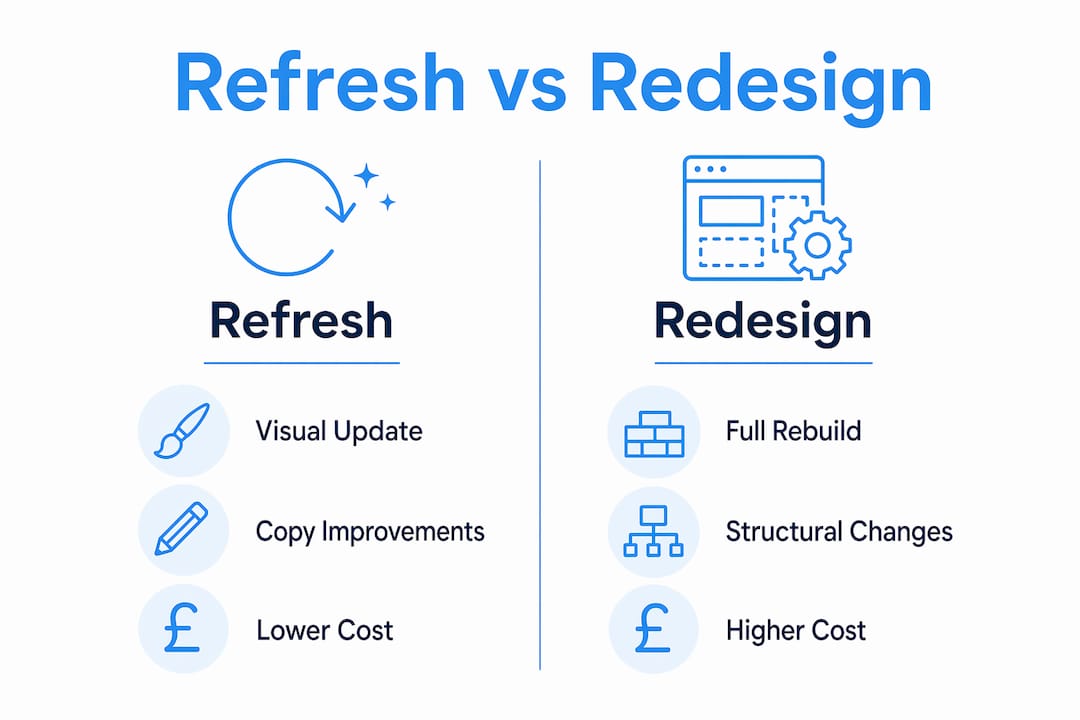
The first decision you face is whether to refresh or redesign. A refresh covers cosmetic changes: updated colours, new photography, revised copy, and minor layout tweaks. A redesign is a structural rebuild that addresses the platform, architecture, performance, and security from the ground up. Redesigns cost more upfront but reduce long-term expenses by making the site easier to maintain.
Use these signals to guide your decision:
- Mobile load times over 3 seconds and bounce rates above 70% typically signal the need for a redesign, not a refresh.
- Your current platform cannot support the updates you need without expensive workarounds.
- The site has not had a structural update in more than three years.
- You cannot edit pages without calling a developer.
- Security patches require constant manual intervention.
If your platform still supports your goals, a refresh may suffice. Testing your current platform’s limits first can save significant time and money before committing to a full rebuild.
| Factor | Refresh | Redesign |
|---|---|---|
| Scope | Visual and copy updates | Full structural rebuild |
| Cost | Lower upfront | Higher upfront, lower long-term |
| Timeline | 1–3 weeks | 3–8 weeks |
| Best for | Functional platform, dated look | Poor performance, outdated tech |
| SEO risk | Minimal | Requires careful migration |
Pro Tip: Run a website performance audit before deciding. Knowing your exact load times, mobile scores, and broken link count turns a gut feeling into a data-backed decision.
How to upgrade the technology behind your website
The technology stack underneath your site determines its speed, security, and cost to run. Modern redesigns use static site architectures such as Next.js, deployed on global content delivery networks, to achieve load times under one second and eliminate ongoing plugin or security maintenance. That is a significant shift from older WordPress or Joomla installations that require constant patching.
Here is the standard technical upgrade process:
- Audit your current stack. Identify your CMS, hosting environment, and any third-party plugins. Note which elements create maintenance overhead or security risk.
- Choose a modern architecture. Static site generation with CDN hosting delivers speed, security, and lower running costs. The role of site architecture in both SEO and user experience makes this choice consequential.
- Map your 301 redirects before launch. Without proper redirects, websites lose years of link equity and generate harmful 404 errors. Every old URL needs a destination.
- Migrate content carefully. Transfer copy, images, and metadata with accuracy. Errors here cause ranking drops that take months to recover.
- Test across devices before going live. Use Google’s PageSpeed Insights and a mobile design checklist to confirm performance on phones and tablets.
- Launch with zero downtime. A well-planned migration keeps your site live throughout. A redesign typically completes in 3–8 weeks, with measurable Lighthouse score gains within 60 days of launch.
Pro Tip: Always own your code outright. Platforms that lock you into proprietary builders leave you paying monthly fees indefinitely and unable to move without starting again. Ownership protects your investment.
The cost of a small business redesign typically ranges from £3,000 to £15,000. That figure pays for itself within one to two years once you factor in the elimination of hosting and maintenance fees that can run to £1,200–£3,600 annually. See website redesign ROI examples for a breakdown of how those numbers play out in practice.

How do you refresh website content and design effectively?
Visual design gets the attention, but weak or outdated copy harms website performance more than visual issues. Refreshing your content is the highest-impact action you can take without touching the underlying platform.
Work through these content and design priorities in order:
- Rewrite your homepage headline and key service pages. Copy that directly answers visitor questions drives more engagement than copy that describes your business history. Ask: what does my visitor need to know in the first ten seconds?
- Replace stock photography with real images. Authentic photos of your team, premises, or work build trust faster than generic imagery. Visitors notice the difference immediately.
- Simplify your navigation. Menus with more than seven items confuse visitors. Cut secondary pages from the main nav and use footer links instead.
- Update your calls to action. Vague buttons like “Click here” or “Learn more” underperform against specific ones like “Get a free quote” or “Book a call today.”
- Fix broken links and outdated references. A page that references 2019 pricing or links to a defunct supplier signals neglect. Regular website updates sustain search rankings and user engagement over time.
- Check mobile responsiveness on real devices. Emulators miss issues that appear on actual phones. Test on at least two different screen sizes.
Pro Tip: Prioritise copy improvements before touching the design. A well-written page on an average-looking site consistently outperforms a beautiful page with weak messaging. Copy is the engine; design is the bodywork.
Strong copywriting also supports SEO directly. Pages that answer specific visitor questions attract longer dwell times, lower bounce rates, and more return visits. All three signals feed into Google’s assessment of your site’s quality.
What are the SEO best practices during website modernisation?
SEO migration is the most technically demanding part of any website update. Done poorly, it can wipe out years of accumulated search rankings within days of launch.
Proper SEO migration includes 301 redirects for all old URLs, metadata preservation, updated XML sitemaps, structured data, and fast mobile-friendly deployment. Each element protects a different part of your search visibility.
| SEO task | Why it matters |
|---|---|
| 301 redirect map | Transfers link equity from old URLs to new ones |
| Meta title and description review | Preserves click-through rates from search results |
| XML sitemap update | Tells Google which pages to index on the new site |
| Structured data check | Maintains rich snippet eligibility |
| Page speed improvement | Directly influences Google’s Core Web Vitals scores |
| Mobile usability audit | Required for Google’s mobile-first indexing |
Beyond the migration itself, ongoing content maintenance protects your rankings long term. Routine maintenance that refreshes content, fixes broken links, and improves site speed sustains search visibility over time. Schedule a content audit every six months to remove outdated pages, update statistics, and consolidate thin content. Cloud 9’s SEO services for UK businesses cover both migration support and ongoing optimisation for established businesses.
Common challenges when modernising an outdated website
Most problems during a website update are predictable. Knowing them in advance keeps your project on time and on budget.
- Confusing a refresh with a redesign. Starting with cosmetic changes and then discovering the platform cannot support your goals wastes budget. Assess the platform first.
- Skipping the redirect map. This is the single most common and most damaging mistake. Every URL change without a redirect is a broken link waiting to harm your rankings.
- Underestimating content work. Businesses routinely budget for design and forget that rewriting 30 service pages takes as much time as building the site itself.
- Neglecting accessibility. WCAG 2.1 compliance is not optional for UK businesses. Inaccessible sites exclude users and carry legal risk.
- Launching without a performance baseline. If you do not measure load times and conversion rates before launch, you cannot prove the update worked.
Tracking performance post-launch is not a nice-to-have. Without a before-and-after comparison using tools like Google Analytics 4 and Google Search Console, you are flying blind on whether the investment delivered results.
Prepare a website redesign brief before any work begins. A clear brief prevents scope creep, aligns your agency on objectives, and gives you a benchmark to measure success against.
Key takeaways
Modernising an outdated business website requires a clear decision between refresh and redesign, careful SEO migration, and a content-first approach to updates that delivers measurable gains in speed, rankings, and enquiries.
| Point | Details |
|---|---|
| Refresh vs redesign | Assess your platform’s limits before committing; a refresh suffices if the structure is sound. |
| Technical architecture | Static site generation with CDN hosting delivers sub-one-second load times and removes maintenance overhead. |
| SEO migration | Map all 301 redirects before launch to protect link equity and avoid ranking loss. |
| Content first | Rewriting copy drives more engagement than visual updates alone; prioritise it in any update. |
| Post-launch tracking | Measure load times and conversion rates before and after to confirm the investment paid off. |
What I have learned from watching small businesses update their websites
The businesses that get the most from a website update are rarely the ones with the biggest budgets. They are the ones that start with a clear brief and resist the urge to redesign everything at once.
What surprises most small business owners is how much their copy is holding them back. I have seen sites with genuinely good design that convert poorly because the homepage still reads like a company brochure from 2018. Visitors do not want your history. They want to know if you can solve their problem, and they want to know it in the first sentence.
The other thing I have seen consistently is the cost of vendor lock-in. Businesses that built their sites on proprietary drag-and-drop platforms often find themselves paying monthly fees for features they barely use, with no way to export their code cleanly. Owning your codebase is not a technical preference. It is a financial one.
On the agency side, the red flag I always watch for is a provider who skips the redirect mapping conversation. That single omission can cost a business six months of SEO recovery. Any agency worth working with will treat the redirect map as non-negotiable, not optional.
The return on investment from a well-executed update is real. Reduced maintenance costs, better search visibility, and higher conversion rates compound over time. The businesses I have seen hesitate longest are often the ones who end up paying more in the long run, either through lost leads or emergency fixes on a site that should have been rebuilt two years earlier.
— Rob
How Cloud 9 supports your website update
Cloud 9 works with established UK businesses to replace ageing websites with fast, maintainable sites built on modern architecture. Every project includes a full SEO migration, 301 redirect mapping, and content transfer, so your rankings are protected from day one.
The Cloud 9 approach covers web design and development from initial brief through to launch, with transparent pricing and full code ownership for every client. There are no ongoing platform fees and no lock-in. If you are ready to start planning, the small business redesign process guide walks you through each stage in detail, so you know exactly what to expect before a single line of code is written.
FAQ
How do I know if my website needs a redesign or a refresh?
A bounce rate above 70%, mobile load times over three seconds, or a platform that cannot support your updates are clear signals that a full redesign is needed rather than cosmetic changes.
How long does it take to modernise a business website?
A refresh typically takes one to three weeks. A full redesign runs three to eight weeks, depending on the size of the site and the complexity of the content migration.
Will updating my website hurt my Google rankings?
A properly managed update preserves and often improves rankings. The critical step is mapping 301 redirects for every old URL before launch, which transfers existing link equity to the new site.
What is the most important thing to update on an outdated website?
Copy is the highest-impact update. Weak or outdated content harms performance more than visual issues, and rewriting key pages to answer visitor questions directly improves both engagement and conversions.
How much does a small business website redesign cost in the UK?
Costs typically range from £3,000 to £15,000. Most redesigns pay for themselves within one to two years through reduced maintenance and hosting fees.