Enterprise resource planning (ERP) is an integrated software suite that pulls finance, HR, supply chain, procurement, manufacturing and sales into a single central database, so every department works from the same live numbers instead of chasing spreadsheets. Gartner calls this a single source of truth, and that phrase does a lot of work: it means the sales team, the warehouse and the finance director are never arguing over whose version of the stock count is correct.
Three things worth knowing before you go further:
- The payoff is visibility and automation — you see stock, cash and orders in real time instead of waiting for someone to update a spreadsheet.
- It suits resource‑heavy organisations most directly — manufacturers, distributors and multi‑site service firms with complex, interdependent processes.
- Cloud versus on‑premise is your first real decision, and for most growing businesses today, cloud wins on cost and speed.
We’ve helped enough established businesses untangle their systems to know that ERP is rarely the hard part. The hard part is everything that touches it. Cloud 9 approaches this the same way we approach any digital operations problem: connect it properly, or don’t bother.
Key Takeaways
ERP works by unifying core business data into one shared system, and it delivers real value only when paired with disciplined data entry and proper integration to the rest of your digital stack.
| Point | Details |
|---|---|
| One source of truth | ERP centralises finance, HR, supply chain and sales data so departments stop working from conflicting numbers. |
| Modules vary by need | Start with core finance and operations modules, then add manufacturing, procurement or HR as required. |
| Cloud suits most scaling SMEs | Cloud ERP lowers hardware overhead and speeds deployment; on‑premise still fits heavily regulated environments. |
| Change management decides success | Poor staff data entry undermines even a well‑configured system, so budget for training from the outset. |
| Integration multiplies the value | Cloud 9 connects ERP to CRM, e‑commerce and automation so data moves once, correctly, across your whole stack. |
Table of Contents
- What is enterprise resource planning, exactly?
- How does an ERP system actually work?
- What are the core ERP modules and features?
- What business value does ERP actually deliver?
- Cloud, on‑premise or hybrid: which deployment fits?
- What does an ERP implementation actually involve?
- How do you evaluate ERP options without getting burned?
- Which industries and businesses benefit most from ERP?
- How is ERP different from CRM or accounting software?
- A brief history: from MRP to AI‑driven ERP
- How do you connect ERP to the rest of your digital stack?
- Sources
- FAQ
What is enterprise resource planning, exactly?
Enterprise resource planning is a unified platform that collects, stores and interprets data from across an organisation’s core operations, using one central database rather than a scatter of disconnected tools. The Cambridge Dictionary defines it simply as software that helps a company manage and integrate its main business processes, and that’s the crux of it: integration, not just management.
It’s worth separating ERP from things it often gets confused with. Material requirements planning (MRP), ERP’s ancestor, only handled manufacturing scheduling. Accounting software handles the books but knows nothing about your warehouse. A CRM tracks customer relationships but has no idea what’s actually in stock. ERP absorbs pieces of all of these into one operational backbone, which is precisely why Investopedia describes it as a single interface for cross‑functional collaboration.
A short glossary helps here, because ERP conversations get jargon-heavy fast:
- Module — a component built for one business function, such as finance or inventory.
- Single source of truth — one dataset every department reads from and writes to.
- Master data — the core records (customers, products, suppliers) shared across modules.
- Customisation — code changes to fit unique processes, versus off‑the‑shelf configuration.
- Integration — connecting the ERP to outside systems like a website or payroll provider.
- Deployment model — whether the system runs in the cloud, on your own servers, or both.
How does an ERP system actually work?
Every ERP runs on the same basic architecture: independent modules that all read from and write to one shared database, creating a continuous transactional record of what’s happening across the business. Wikipedia’s overview of ERP puts it well, noting that these systems track both resources, such as cash and raw materials, and commitments, like purchase orders and payroll, in one continuously updated view.
Picture the data flow on a typical sales order. A customer places an order, which the system checks against live inventory. If stock is short, it triggers a production or purchase order. Once goods ship, the warehouse module updates inventory automatically, the finance module generates an invoice, and the transaction posts straight to the general ledger. No one re-keys the same order three times into three different systems.
Underneath that flow sit several technical layers:
- Shared database — the single repository every module reads and writes to.
- Application layer — the actual modules (finance, HR, inventory and so on).
- API or integration layer — the connectors that let outside tools talk to the ERP.
- User interface — dashboards and forms staff interact with day to day.
- Reporting and BI tools — for turning transactional data into decisions.
- Security and access controls — role‑based permissions and audit trails.
That integration layer matters more than people expect. A well‑built ERP might sync customer records with a CRM, pull orders straight from an e‑commerce storefront, or push hours worked to a payroll provider without anyone touching a spreadsheet.
What are the core ERP modules and features?
Most ERP suites are built from a handful of foundational modules, and understanding what each one actually does is the fastest way to map the software to your own business, as TechTarget’s overview of ERP modules lays out.
- Finance and accounting — general ledger, accounts payable/receivable, and financial reporting. Use case: month‑end close that used to take ten days drops because reconciliation happens automatically.
- Procurement — purchase requisitions, supplier management, purchase orders. Use case: a buyer sees real‑time stock levels before raising a purchase order, avoiding duplicate buys.
- Inventory and supply chain — stock tracking, warehousing, demand planning. Use case: a distributor spots a slow‑moving SKU before it ties up warehouse space for months.
- Manufacturing and production — bills of materials, scheduling, shop‑floor tracking. Use case: a production manager reschedules a run the moment a supplier delay is logged, rather than finding out at the loading bay.
- Sales and order management — quoting, order entry, fulfilment tracking. Use case: sales sees actual delivery dates instead of guessing.
- Human resources and payroll — employee records, payroll processing, time tracking.
Cross-cutting features tie these together: master data management keeps one clean customer or product record everywhere, workflow automation routes approvals without email chains, and audit trails support compliance reviews. Suites vary hugely in depth. Oracle Cloud ERP, SAP S/4HANA and Microsoft Dynamics 365 are widely used illustrations of how differently vendors approach scope, customisation and industry focus, and comparing them is often where buyers start their research.
What business value does ERP actually deliver?
The main purpose of an ERP system is straightforward: cut manual, repetitive work and give management real‑time visibility so decisions don’t wait for a weekly report. Gartner’s research on ERP frames this as the automation of tasks that would otherwise demand hours of duplicate data entry across siloed systems, and that’s exactly where the time savings show up.
The typical gains cluster around a few areas:
- Operational efficiency — fewer manual handoffs, less duplicate data entry.
- Faster decisions — leadership sees current numbers, not last month’s export.
- Reduced duplication — one product record instead of five slightly different ones.
- Faster financial close — reconciliation happens continuously, not in a scramble.
- Better inventory turns — demand and stock data stay aligned in real time.
To judge whether an ERP investment is working, track a small set of KPIs rather than vague satisfaction. Days sales outstanding tells you how fast cash actually arrives. Inventory turnover shows whether stock is moving or sitting. Order‑to‑cash cycle time captures the whole sales process end to end, and month‑end close duration is often the single clearest before‑and‑after metric a finance team can point to.
Thomson Reuters’ analysis of ERP’s business impact notes that firms typically see the sharpest improvement in financial reporting accuracy and close speed, precisely because those processes rely most heavily on manual reconciliation before ERP consolidates them.
Cloud, on‑premise or hybrid: which deployment fits?
Cloud ERP runs on the vendor’s servers and you access it over the internet; on‑premise ERP runs on your own hardware, giving you full control; hybrid blends the two, often keeping sensitive data on‑premise while running less sensitive functions in the cloud. Research on ERP deployment models confirms cloud adoption has accelerated because it cuts hardware overhead and speeds up time to value, while on‑premise still suits organisations with heavy regulatory or data‑control requirements.
The practical trade‑offs come down to a handful of factors:
- Cost model — cloud is typically OPEX (subscription); on‑premise is CAPEX (upfront hardware and licences).
- Upgrades — cloud vendors push updates automatically; on‑premise upgrades are scheduled projects.
- Customisation — on‑premise allows deeper code‑level changes; cloud favours configuration over custom code.
- Remote access — cloud is built for it; on‑premise usually needs extra infrastructure.
- Data residency — some regulated sectors need to know exactly which jurisdiction data sits in, which shapes the cloud‑versus‑on‑premise decision as much as cost does.
For most scaling SMEs, cloud wins on speed and lower overhead. Regulated environments handling sensitive financial data sometimes still lean on‑premise or hybrid, particularly where standards from bodies like IFRS shape audit and reporting requirements.
What does an ERP implementation actually involve?
ERP projects follow a fairly consistent sequence, whatever the vendor:
- Discovery and process mapping — document how work actually happens today, warts and all.
- Scope and blueprint — define which modules, workflows and integrations are in scope.
- Configuration and customisation — set up the system to match your processes.
- Data migration — move customer, product and financial records across, cleanly.
- Testing and user acceptance — staff actually try the system before go‑live, not after.
- Training and go‑live — the switch itself, usually phased rather than all at once.
- Hypercare and optimisation — close support in the first weeks, then ongoing tuning.
Timelines vary enormously by scale. A small business implementing a focused cloud suite might go live in three to four months. Mid‑market projects with several modules and some customisation commonly run six to twelve months. Enterprise rollouts spanning multiple sites or countries often stretch beyond a year. Cost drivers rarely start and end with the licence fee: professional services, data migration, custom development and change management routinely account for as much of the budget as the software itself.
Pro Tip: Budget a specific line item for change management from day one, not as an afterthought. A perfectly configured ERP fed by resistant staff entering rushed, inconsistent data quietly turns your single source of truth into a source of confusion.

Scope creep is the other silent budget killer: every “quick addition” during configuration adds testing time downstream, so hold the line on the original blueprint unless the change is genuinely essential.
How do you evaluate ERP options without getting burned?
A solid evaluation checklist covers more than feature lists:
- Functional fit — does it actually match your core processes, or force you to bend around it?
- Deployment model — cloud, on‑premise or hybrid, matched to your compliance needs.
- Total cost of ownership — licences plus services, customisation, integrations and support over several years, not just year one.
- Technical integration — how easily it connects to your existing website, CRM and finance tools.
- Security and compliance — relevant certifications and audit trail capability.
- Vendor roadmap and partner ecosystem — is the product actively developed, and is there a capable implementation partner network?
Worth asking vendors directly: what’s their implementation methodology, what’s a realistic timeline for a business your size, what support SLAs apply after go‑live, and can they provide references from similar‑sized clients?
Red flags worth walking away from: vague cost estimates that dodge specifics, no clear change‑management plan, proposals pushing heavy customisation before you’ve tried standard configuration, and an absence of recognised security certifications.
Which industries and businesses benefit most from ERP?
ERP earns its keep fastest where operations are genuinely complex and interdependent.
- Manufacturing — shop‑floor integration and material requirements planning keep production schedules realistic.
- Wholesale and distribution — inventory turns and multi‑warehouse visibility are the whole game.
- Retail and e‑commerce — order fulfilment and omnichannel stock accuracy matter more every year.
- Professional services — project accounting ties billable time directly to financial reporting.
- Public sector and education — fund accounting and compliance reporting drive the requirements list.
Smaller businesses tend to favour modular, cloud‑first suites they can switch on quickly and expand later. Larger organisations with unique workflows more often need deeper customisation and a heavyweight implementation partner. Neither is wrong; it’s a question of how complex your operations already are.
How is ERP different from CRM or accounting software?
ERP manages end‑to‑end operations and planning. A CRM manages customer interactions and the sales pipeline. Accounting software just keeps the books. Most organisations run all three together rather than treating one as a replacement for another, because each solves a different problem.
- ERP — operations, inventory, production, finance, HR.
- CRM — leads, customer history, sales pipeline.
- Accounting software — ledgers, invoicing, basic financial records.
The practical challenge is keeping customer and product data synchronised between ERP and CRM so sales staff aren’t quoting stock that’s already sold.
A brief history: from MRP to AI‑driven ERP
The lineage runs from material requirements planning (MRP) in the 1970s, through MRP II’s broader manufacturing scope, to ERP itself, a term Gartner popularised in the 1990s to describe software spanning far more than manufacturing alone. Cloud adoption picked up sharply from the early 2010s onward.
Current trends worth watching: continued cloud migration, AI layered into demand forecasting, richer API ecosystems enabling composable, mix‑and‑match architectures, and a shift away from big‑bang upgrades toward continuous delivery.
How do you connect ERP to the rest of your digital stack?
An ERP that doesn’t talk to your website, CRM or automation tools is only doing half the job it’s capable of. A sound integration engagement typically runs through a clear sequence:
- Audit existing systems — map what’s already running and where data currently lives.
- Define the integration map — decide exactly which systems need to exchange which data.
- Choose an integration pattern — point‑to‑point, middleware, or an API gateway, depending on scale.
- Develop and test connectors — build the links and check them under real conditions.
- Validate and synchronise data — confirm records match across systems before going live.
- Provide ongoing support — integrations need monitoring, not a one‑off build.
Pro Tip: Test data synchronisation with genuinely messy real‑world records, not clean sample data. Duplicate customer entries and mismatched product codes are where most integration failures actually surface.
Cloud 9 typically runs this as discovery, integration development, then managed cloud support, connecting ERP to platforms like a company’s CRM or e‑commerce storefront so data flows one direction, once, correctly.
Realistic expectations matter more than the software
ERP rarely fails because the software is bad. It fails because leadership underestimates the change‑management effort and rushes data migration to hit an arbitrary go‑live date. Get those two things right and the technology mostly takes care of itself. If your team is already stretched thin planning an implementation or wiring it into existing systems, that’s exactly the point to bring in a partner who’s done the integration work before, rather than learning it live on your project.
Where Cloud 9 fits if you’re exploring ERP or need it properly connected
Cloud 9 isn’t an ERP vendor, and this article has stayed vendor‑neutral on purpose. Where we add value is everything around the ERP decision: managed cloud services to host and secure the environment once it’s live, integration development so your ERP actually talks to your website and CRM instead of sitting in isolation, and ongoing support so problems get fixed before they cost you a week of manual workarounds.
A typical engagement starts with a discovery workshop mapping your current systems, followed by an integration plan and often a fixed‑scope pilot before anything touches production data. If you’re weighing up ERP options or already have one that isn’t pulling its weight because nothing talks to anything else, book a cloud migration consultation and we’ll tell you plainly whether integration or a fuller rebuild makes more sense for your setup.
Sources
- Gartner: Enterprise Resource Planning
- Cambridge Dictionary: enterprise resource planning
- Investopedia: Enterprise Resource Planning (ERP)
FAQ
What is an ERP system, with an example?
ERP is integrated software managing core business functions from one database; a manufacturer using it might see a customer order automatically trigger a production schedule, update inventory and generate an invoice without manual re‑entry.
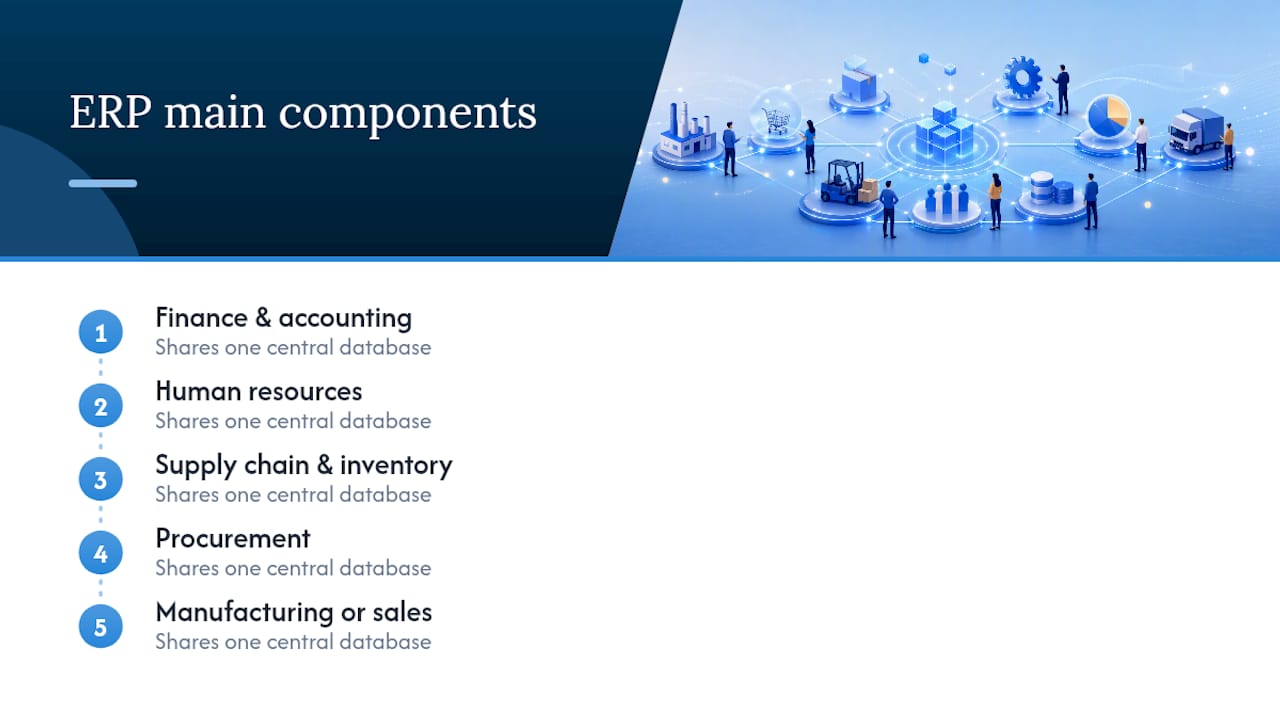
What are the main components of ERP?
Most ERP suites centre on finance and accounting, human resources, supply chain and inventory, procurement, and manufacturing or sales, all sharing one central database, as TechTarget outlines.
What are the different types of ERP?
ERP is typically categorised by deployment model: cloud‑based, on‑premise and hybrid, each suited to different control, cost and compliance needs.
What is the main purpose of an ERP system?
The main purpose is boosting operational efficiency and giving real‑time visibility into performance by automating manual tasks and removing duplicate data entry, as Gartner describes.
How is ERP different from a standalone accounting package?
Accounting software only records financial transactions, while ERP connects finance to inventory, sales, HR and production in one shared system, giving a fuller operational picture rather than just the books.