

A self-service portal is an authenticated, transactional digital workspace where users complete real tasks — paying invoices, updating account details, tracking requests, downloading documents — without needing to contact a member of staff. For UK SMEs, membership organisations and professional firms, the role of self-service portals goes well beyond answering common questions: they reallocate skilled human effort to work that actually requires judgement, while delivering 24/7 availability at a fraction of the cost of assisted support.
Core functions a portal must handle:
- Authenticated account and profile management
- Invoice access, payment and billing history
- Order, case or request tracking
- Secure document upload and download
- Service catalogue and request submission
- Knowledge base with intelligent search
- Escalation to a live agent with full context preserved
Pro Tip: The single fastest way to kill adoption is to launch a portal that only answers questions. If users cannot complete a transaction inside it, they will phone anyway — and you have built an expensive FAQ.
Table of Contents
- Why self-service portals matter strategically for UK organisations
- What capabilities does an effective self-service portal need?
- How do you integrate a portal with your existing systems?
- Measuring success: KPIs, expected outcomes and a simple ROI example
- Designing for adoption: UX, content governance and change management
- Use cases: membership organisations, SMEs and professional firms
- How Cloud9 helps UK organisations build integrated self-service portals
- Key takeaways
- The gap between portal ambition and portal reality
- Cloud9 can scope your portal pilot
- Useful sources and further reading
- FAQ
Why self-service portals matter strategically for UK organisations
The primary business value is not ticket deflection. It is what happens to your team once routine queries stop landing on their desks. Staff who previously handled password resets, renewal reminders and invoice queries can focus on retention, complex cases and growth. That shift does not require extra headcount — it requires the right infrastructure.
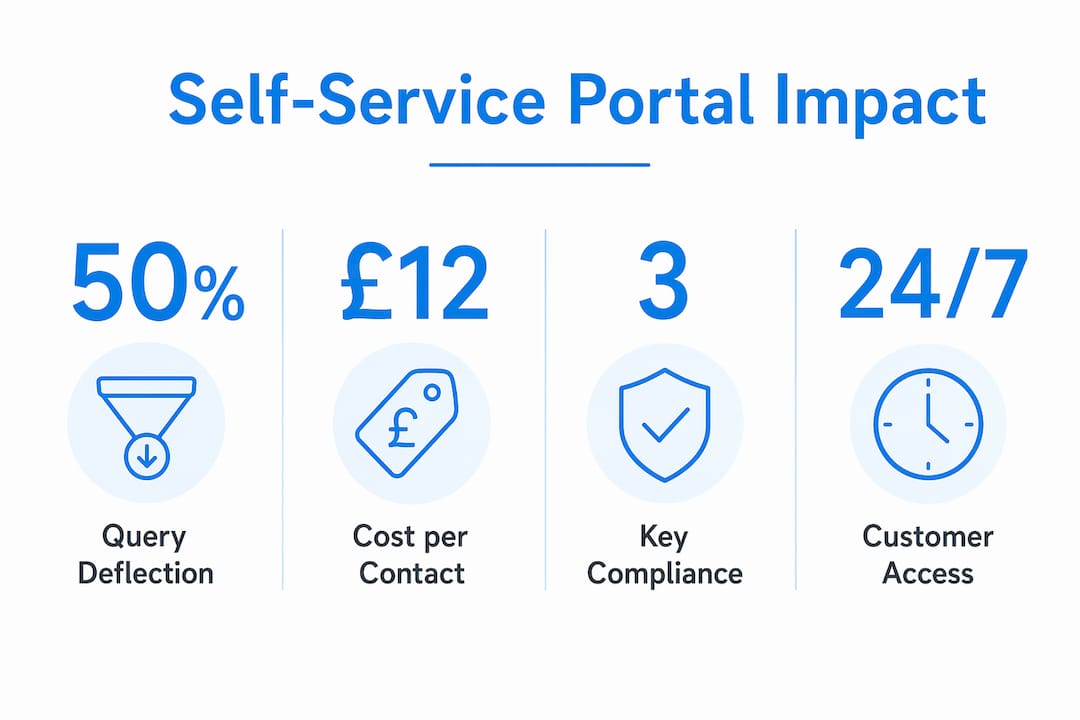
The numbers support the case. Well-designed portals deflect a significant portion of incoming queries, and the cost difference between channels is stark: a self-service contact costs roughly $1.84 against $13.50 for an assisted one. Meanwhile, 61% of customers would rather find their own answer than speak to an agent — meaning a portal is now a customer expectation, not a nice extra.
Stat to share with stakeholders: Portals that enable authenticated transactions and back-end integration deliver higher deflection and user satisfaction than public FAQs — making transactional capability the single biggest differentiator.
Different sectors feel this differently. Membership organisations gain most from self-service renewals, event booking and certificate access. SMEs in retail and services benefit from order tracking, returns and online payments. Professional firms see the sharpest gains from secure client document exchange and case history access.
UK compliance shapes the design from day one. Under UK GDPR and ICO guidance, portals must handle authentication securely, enforce data retention policies, obtain clear consent for communications, and maintain access logs. These are not optional extras — they are the baseline for any authenticated portal serving UK users.
What capabilities does an effective self-service portal need?
A portal earns its keep by being transactional, findable and integrated. Here is what that looks like in practice.
Functional capabilities:
- Authenticated account view with role-based access control
- Payment gateway integration for invoices and subscriptions
- Order, case and ticket history with real-time status
- Secure file upload and download with audit logging
- Service catalogue with structured request flows
Search and content:
- Intelligent search with synonym matching and type-ahead suggestions
- Answer-first article structure (conclusion first, context second, detail third)
- Rich media how-tos and contextual help triggered by page or task
- AI-assisted suggestions that personalise results using account context
Integration and governance:
- Single sign-on (SSO) via SAML or OAuth
- CRM and ticketing system links for case creation and context passing
- Billing system connectors for live invoice and payment data
- Analytics: failed searches, article helpfulness ratings, escalation triggers
| Capability category | Key features | Why it matters |
|---|---|---|
| Functional / transactional | Payments, account edits, document exchange | Enables real task completion, not just reading |
| UX and search | Intelligent search, answer-first content, mobile responsiveness | Drives adoption and reduces failed sessions |
| Integration | SSO, CRM, billing, ticketing write-back | Keeps data consistent and escalations context-aware |
| Governance and analytics | Content staging, review cadences, failed-search reporting | Keeps the portal accurate and continuously improving |
How do you integrate a portal with your existing systems?
Integration is where most portal projects stall. A clear architecture decision up front saves months of rework later.
Architecture basics:
- Decide which areas are authenticated and which are public, then map data flows between them
- Identify authorisation boundaries: who can see what, and under which conditions
- Choose your identity layer (SSO via SAML 2.0 or OAuth 2.0) before building anything else
Implementation checklist:
- Configure SSO so users authenticate once across your website, portal and CRM
- Link CRM contacts to portal accounts so every interaction is recorded against the right record
- Connect your billing or payment gateway so invoices and payment status are live, not cached
- Set up ticketing write-back so portal submissions create cases with the user’s session context attached
- Add webhooks or API endpoints for real-time updates (order status, document approval, membership tier)
- Build a sandbox environment and test every integration path before go-live
- Monitor failed escalations and search fallbacks in the first 90 days and fix the gaps
Operational and compliance considerations:
- Data must reside in the UK or an ICO-approved jurisdiction
- Retention policies must be enforced at the system level, not just documented
- Access logs and role-based controls are required for UK GDPR compliance
- Managed cloud hosting with UK data residency removes much of this complexity for SMEs without in-house infrastructure teams
Pro Tip: Map portals to your highest-value customer journeys first. Launching every possible feature at once creates dead ends and dilutes the ROI signal — a focused pilot on two or three core tasks outperforms a sprawling launch every time.
Measuring success: KPIs, expected outcomes and a simple ROI example
Knowing which numbers to track is half the battle. The other half is knowing where to find them.
| KPI | Source of truth | Early-success threshold |
|---|---|---|
| Deflection rate | Portal analytics vs. ticket volume | — |
| First-contact resolution in portal | Portal session logs | — |
| Customer effort score (CES) | Post-session survey | Improving quarter-on-quarter |
| Failed search rate | Search analytics | Below 15% of queries |
| Escalation rate with context passed | CRM / ticketing logs | 90%+ of escalations carry session data |
| Cost-per-contact delta | Finance + support ops | Measurable reduction by month six |
Simple year-one ROI example:
- Annual assisted contact volume: 6,000 tickets
- Average cost per assisted contact: £12
- Expected deflection at 40%: 2,400 tickets deflected
- Gross saving: 2,400 × £12 = £28,800
- Platform and implementation cost (year one): £10,000–£15,000
- Net year-one saving: £13,800–£18,800
These figures are illustrative, but the model is sound. Plug in your own ticket volume and cost-per-contact figures — the portal analytics and CRM data you already hold are the inputs.
Designing for adoption: UX, content governance and change management
A portal nobody uses saves nothing. Adoption depends on three things: it must be easy to find, easy to search, and easy to trust.
UX principles that drive usage:
- Search bar prominent on the landing page, not buried in a menu
- Mobile-responsive layout — a significant share of member and client queries arrive on phones
- Answer-first content: the resolution in the first paragraph, supporting detail below
- Clear, visible escalation option so users never feel trapped
Content governance:
- Assign an owner to every article with a review date
- Use staging and version control so updates go live deliberately, not accidentally
- Retire articles that analytics show are consistently unhelpful or generating escalations
- Track failed searches weekly and create new content to close the gaps
Change management:
- Train support staff to direct users to the portal at every touchpoint, not around it
- Set SLAs for knowledge updates when a product or process changes
- Promote the portal in onboarding emails, invoices and renewal notices
Pro Tip: When a user escalates from the portal to a live agent, the agent must receive the user’s session context automatically — what they searched, what they read, what they tried. Without that handoff, the user repeats themselves, trust drops, and the portal gets the blame.
Use cases: membership organisations, SMEs and professional firms
Membership organisations use portals to handle renewals without staff intervention, let members book events and access certificates, update their directory entries and upgrade their membership tier. A professional association processing several hundred renewals a month can cut renewal-related calls to near zero once the payment and confirmation flow is fully self-service.

SMEs in retail and services gain most from order status, returns initiation and subscription management. An e-commerce SME that surfaces live order tracking and a one-click returns form inside an authenticated portal typically sees a sharp drop in “where is my order?” contacts within weeks of launch.
Professional firms — accountants, solicitors, consultants — benefit from secure client document exchange, case history access and online payment of fees. A small accountancy practice, for example, can replace email attachments and phone-based payment chasing with a portal where clients view their outstanding fees, download draft accounts and pay in one session.
The most underused portal feature in professional services is the client-facing case timeline. When clients can see exactly where their matter stands without phoning, satisfaction scores rise and the firm’s admin burden drops — often by more than the headline deflection rate suggests.
For IT and operations teams, employee self-service portals handle password resets, software installation requests and VPN troubleshooting without technician involvement — freeing IT staff for infrastructure and security work.
How Cloud9 helps UK organisations build integrated self-service portals
Cloud9 is a UK-based digital solutions provider that builds authenticated, transactional portals as part of an integrated system — not as a standalone project bolted onto an existing website. The difference matters: a portal that shares infrastructure with your CRM, billing system and managed hosting is easier to maintain, cheaper to scale and far less likely to create data silos.
Cloud9’s offering covers the full stack:
- Web design and development for the portal front-end and UX
- Managed cloud services with UK data residency and ICO-aligned security
- CRM and marketing automation to connect portal interactions to contact records and workflows
- AI chatbots and knowledge assistants that surface relevant content and reduce failed searches
- AI automation services for back-end workflows triggered by portal actions
Cloud9 handles SSO configuration, CRM and billing connectors, staged rollout and analytics-led content governance — so the organisations it works with get a portal that is transactional from day one, not a static FAQ dressed up with a login screen.
Key takeaways
Self-service portals deliver their greatest value when they are authenticated, transactional and integrated with CRM and billing systems — not when they simply answer questions.
| Point | Details |
|---|---|
| Portals are strategic infrastructure | They reallocate staff time to high-value work, not just deflect tickets. |
| Transactional capability is non-negotiable | Portals that enable payments, document exchange and account edits outperform static FAQs on every measure. |
| Integration determines success | SSO, CRM links and billing connectors are prerequisites, not optional add-ons. |
| Measure deflection and effort | Track deflection rate, failed search rate and customer effort score from month one. |
| Cloud9 builds integrated portals | Cloud9 combines web design, managed cloud, CRM automation and AI to deliver portals that work as a system. |
The gap between portal ambition and portal reality
Most organisations that struggle with their portal did not get the technology wrong. They got the scope wrong. They launched too broadly, skipped the CRM integration, and published content that buried the answer three paragraphs down. The result is a portal that users visit once and abandon.
The organisations that get it right start with two or three high-volume, high-frustration journeys — renewals, invoice queries, document requests — and make those genuinely self-service before adding anything else. That discipline is harder than it sounds when stakeholders want features, but it is the only approach that produces a measurable ROI in year one.
The compliance piece is also underestimated. UK GDPR is not a checkbox — it shapes authentication design, retention logic and consent flows from the architecture stage. Getting that right at the start is far cheaper than retrofitting it later.
Cloud9 can scope your portal pilot
The fastest route from “we need a portal” to a working, transactional system is a scoped pilot: two or three core journeys, fully integrated, measured from day one. Cloud9 runs discovery sessions to map your highest-value tasks, scope the integration points and deliver a working pilot before committing to a full build.
If your team is still handling routine queries that a portal could resolve, the cost of waiting is measurable. Get in touch with Cloud9 to scope a pilot, or review managed cloud and hosting options if infrastructure is the first question to answer.
Useful sources and further reading
- Kayako: What Is Customer Self-Service? — deflection rates, cost-per-contact benchmarks and design best practice
- Kayako: The Importance of Customer Self-Service Portal — strategic framing and content design guidance
- TechTarget: Business benefits of a customer self-service strategy — journey mapping, analytics and escalation best practice
- Adaptist Consulting: Self-Service Portal definition and benefits — transactional portal types and feature selection
- ManageEngine: What is a self-service portal? — IT and employee self-service use cases
- Ernest Blog: Self-service customer service for small stores — small-business time-saving examples
FAQ
What is the role of self-service portals for SMEs?
Self-service portals let customers, members or clients complete routine tasks — payments, document access, account updates — without contacting staff, freeing teams for higher-value work and reducing cost-per-contact significantly.
How much can a portal deflect?
Well-designed portals deflect 40–60% of incoming queries, with self-service contacts costing roughly $1.84 against $13.50 for assisted support.
What features does a member self-service portal need?
At minimum: authenticated account access, payment and invoice management, secure document exchange, intelligent search and a clear escalation path that passes session context to a live agent.
How do self-service portals comply with UK GDPR?
Portals must use secure authentication, enforce data retention policies, log access, obtain clear consent for communications and store data in the UK or an ICO-approved jurisdiction.
How does Cloud9 help with portal integration?
Cloud9 builds end-to-end portal systems covering web design, managed cloud hosting, CRM automation and AI chatbots — handling SSO, billing connectors and analytics from a single integrated partner.