

Returns automation turns manual post-purchase work into self-serve flows that speed refunds, reduce error and recover revenue. Instead of staff opening emails and typing refunds into a payment gateway, a rules engine approves or routes each return the moment a customer requests it. The result is faster refunds, fewer manual exceptions and more returned stock back on shelves sooner.
TL;DR:
- Connect the portal to order, warehouse, payment, and carrier systems; pair immediate webhooks with hourly or overnight reconciliation to catch missed updates.
- Pilot a low value refund flow within one product category, then compare refund time and recovery rate before adding exchanges or faulty item handling.
- For UK orders, trigger refunds within 14 days of receiving goods or proof of postage, whichever comes first, and include return postage when required.
- Track return rate by SKU, cost per return, recovery rate, and refund time; SKU patterns can reveal product page fixes, not just workflow problems.
- NRF estimates retailers faced nearly $850 billion in returned goods in 2025, when about 19.3% of online sales came back.
Table of Contents
- What returns automation actually does for your team
- Integrations that make automation reliable
- Example automation flows you can pilot quickly
- Metrics and KPIs that prove the ROI
- Implementation checklist: plan, pilot, integrate, scale
- How we approach returns automation projects
- Case studies and examples worth learning from
- UK returns rules: refund timings and where to publish your policy
- Returns are a retention channel, not just a cost centre
- Getting returns automation implemented properly
- FAQ
- Sources
What returns automation actually does for your team
Returns automation replaces the back-and-forth of email and spreadsheets with a structured flow that runs mostly on its own. A branded self-service portal lets a customer start a return, pick a reason code and get a decision in seconds rather than waiting for a staff reply. Behind that portal, a rules engine checks the order value, reason and return window, then triggers the matching outcome automatically.
- Self-service portals guide customers through return or exchange requests without a support ticket.
- Automated refund and exchange rules apply thresholds, such as auto-refunding low-value items without requiring the item back.
- Paperless label generation, often via QR code, lets customers return items at a carrier drop-off point without printing anything.
- Inspection and grading workflows tell warehouse staff whether a returned item goes back to stock, to repair or to disposal.
Each of these pieces can run alone, but they compound when connected. A reason code captured at the portal stage feeds the grading workflow later, so warehouse staff already know what to expect before the parcel arrives. That link between front-end request and back-of-house handling is what separates genuine automation from a slightly tidier inbox.
Integrations that make automation reliable
Automation only works as well as the systems feeding it. Without a live connection to your order and stock data, a rules engine is guessing rather than deciding, and that produces wrong refunds, double-counted stock or returns that vanish into a queue nobody checks.
- OMS and WMS integration keeps stock counts accurate and speeds up restocking once an item passes inspection.
- Payment gateway connections trigger refunds automatically and need reconciliation logic so refunded amounts match returned orders.
- Carrier API connections generate labels, track parcels and support paperless, QR-based returns.
- Scheduled sync jobs and webhooks keep data current between the returns portal, inventory and finance systems.
Returns management platforms typically bundle these integrations together: self-serve portals, configurable rules, carrier label generation and connections into OMS, WMS and ERP systems, according to Capterra’s UK directory of returns management software. Most vendors recommend pairing real-time webhooks (for immediate triggers like a refund request) with a scheduled reconciliation job that catches anything the webhook missed, usually running hourly or overnight. For a wider view of how these pieces fit into post-purchase workflows generally, our earlier piece on post-purchase automation for UK SMEs covers the sequencing in more depth.
Pro Tip: Run a daily reconciliation report comparing refunds issued against returns received: it catches mismatches before they become customer complaints.
Example automation flows you can pilot quickly
Most ecommerce returns fall into a handful of repeatable patterns, which makes them easy to automate without building something bespoke for every scenario.
- Low-value keep-it refund: order value under a set threshold and a valid reason code triggers an instant refund with no return shipment required.
- Faulty item fast-track: a “faulty” reason code skips standard inspection and authorises an immediate refund or replacement, often with a prepaid label attached automatically.
- Exchange-first flow: the portal offers a same-item exchange (different size or colour) before showing the refund option, holding stock against the new order while the original is in transit.
- Warehouse grading and routing: returned stock is scanned on arrival, graded against condition rules, and routed to restock, repair, resale or disposal based on that grade.
The decision points that matter most are price threshold, reason code and item condition. A £15 item flagged “wrong size” rarely needs a human to look at it; a £400 item flagged “damaged on arrival” probably does. Setting those thresholds early, even conservatively, lets you automate the bulk of low-risk returns while routing the rest to a person.
Metrics and KPIs that prove the ROI
Four numbers tell you whether returns automation is working: return rate, cost per return, recovery rate and time-to-refund. Together they show whether automation is reducing manual effort and whether it’s protecting revenue rather than just processing refunds faster.
- Return rate: percentage of orders returned, tracked by SKU to spot problem products.
- Cost per return: labour, shipping and restocking cost divided by number of returns processed.
- Recovery rate: percentage of returned stock resold, repaired or otherwise recovered rather than written off.
- Time-to-refund: days between return request and refund issued, a direct driver of customer satisfaction.
Industry data points to the scale of the problem automation addresses: the NRF’s 2025 Retail Returns Landscape estimates retailers faced close to $850 billion in returned merchandise in 2025, with roughly 19.3% of online sales returned. Automating the low-value, low-risk share of that volume frees staff time for the exceptions that genuinely need judgement. SKU-level return data also feeds back into product pages and listings: a size guide fix or clearer photo often reduces a specific SKU’s return rate more than any amount of refund processing speed. For teams building dashboards around this, our guide to automating ecommerce reporting and analytics covers how to pull these KPIs into one view.
Implementation checklist: plan, pilot, integrate, scale
Rolling out returns automation works best as a staged process rather than a single switch-over, because policy rules and system integrations both need testing before they touch every order.
- Audit current returns data to understand volume, common reason codes and where manual bottlenecks sit.
- Decide the policy rules automation will enforce, including refund windows, which carriers to use and whether returns are free or chargeable.
- Pilot a single flow, such as low-value auto-refunds, measure the KPIs above, then adjust rules before expanding.
- Train operations staff and update public-facing policy pages so the published returns policy matches what the system actually does.
Vendor case studies and consultancy guidance consistently point to starting with the smallest, highest-volume flow, often low-value refunds, to build internal confidence before automating exchanges or faulty-item handling, as outlined in Capterra’s returns management software comparisons.
Pro Tip: Pilot on one product category first, not one region: category-specific return reasons are easier to isolate and test rules against.
How we approach returns automation projects
Returns automation works best as part of a wider systems integration project rather than a bolt-on tool, connecting the returns portal, OMS and payment reconciliation so refund data, stock levels and customer records stay in sync.
- Systems integration work connects returns portals to existing OMS, WMS and finance systems rather than leaving them as isolated tools.
- CRM and marketing automation can turn a return into a triggered exchange offer or win-back message instead of a dead end.
- AI automation can support rules-based fraud flags and reason-code classification within the returns workflow.
A typical pilot scope runs 60 to 90 days. Map current returns data, integrate the portal with order management and payment reconciliation, then measure refund speed and recovery rate before expanding to additional flows.
Case studies and examples worth learning from
Returns management vendors and retailers consistently report the same pattern when they move from manual processing to automated flows: the first gains come from the simplest, highest-volume case. A retailer piloting auto-refunds on low-value items typically sees that flow absorb a meaningful share of total return volume within weeks, because most returns cluster around low-cost, low-risk items like wrong-size clothing or minor accessories.
Returns management platforms listed in Capterra’s UK software directory show a consistent feature set among the vendors retailers choose: branded portals, configurable rules, carrier integration and routing logic that sends items to repair, resale or recycling rather than straight to write-off. That routing step is where recovery rate improves most, because stock that would previously sit in a returns pile or go to landfill instead gets a second sale channel. For merchants reselling returned stock, verifying current resale pricing before relisting protects margin: tools like PriceXpoint’s guidance on verifying sold data before calculating sell-through rate are relevant here, since relisting against stale price data undercuts recovery value.
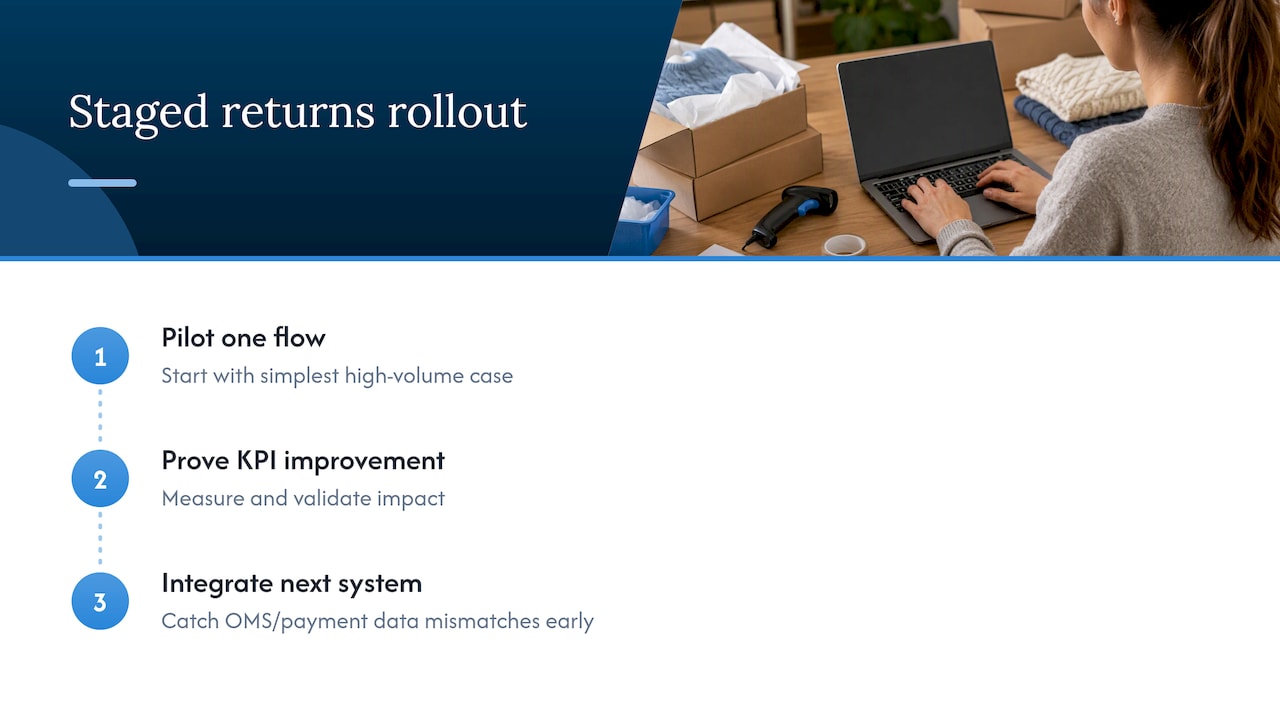
The common thread across successful deployments is sequencing: pilot one flow, prove the KPI improvement, then integrate the next system. Retailers that try to automate everything at once tend to hit data mismatches between OMS and payment systems that a staged rollout would have caught early.
UK returns rules: refund timings and where to publish your policy
UK distance-selling rules set a clear deadline that any automated refund flow must respect: refunds are due within 14 days of the retailer receiving the returned goods, or receiving proof that the goods were posted back, whichever comes first, as summarised in Orbit Commerce’s guidance on UK returns policy. An automation rules engine should treat that 14-day window as a hard trigger, not a target, with an alert if a refund hasn’t processed within it.
Policy placement matters almost as much as the policy itself. Guidance recommends publishing clear returns terms in the website footer, on product pages, at checkout and again in the order confirmation email, so customers see the same information at every stage rather than discovering restrictions only after they’ve bought.
Getting this wrong has consequences of customer complaints. A Which? investigation reported by The Guardian found several UK retailers failing to refund customers correctly and failing to reimburse return postage where they were obliged to. That kind of failure is exactly what a policy-aware automated flow is built to prevent: it can record proof of postage automatically, apply the correct refund amount including postage where due, and timestamp every step for evidence if a dispute arises.
Returns are a retention channel, not just a cost centre
Industry commentary increasingly frames returns as a strategic touchpoint rather than pure overhead, with exchange-first flows and branded self-service portals used to keep a customer’s spend in the business rather than refunding it away, a view echoed in the NRF’s 2025 returns research. The smarter move is weighing customer experience against processing cost deliberately, using rules and analytics rather than gut feeling, and letting AI-assisted fraud detection handle the edge cases that eat the most staff time.
— Rob
Getting returns automation implemented properly
A successful returns automation project connects the portal, the rules engine and the systems behind them, so refunds, stock and customer records stay accurate without manual rekeying.

- Systems, finance and workflow integration ties a returns portal into OMS, WMS and payment reconciliation.
- CRM and marketing automation can turn a returned order into a triggered exchange offer rather than a lost sale.
- AI automation can add rules-based fraud flags and reason-code classification to the workflow.
If your current returns process still runs through shared inboxes and spreadsheets, a focused pilot is the fastest way to see where automation pays off first. Get in touch about Systems, Finance & Workflow Integration to scope a pilot built around your existing order and payment systems.
FAQ
What does returns automation actually mean for a small ecommerce business?
It means replacing manual email and spreadsheet handling with a self-service portal and a rules engine that approves, refunds or routes returns automatically. For most businesses this starts with automating the simplest cases, like low-value refunds, before expanding to exchanges and faulty-item handling.
How quickly must UK retailers refund a returned item?
Refunds are due within 14 days of receiving the returned goods or proof of posting, whichever happens first, under UK distance-selling rules summarised by Orbit Commerce. An automated rules engine should treat that deadline as a trigger for alerts, not just a target.
Which systems need to be integrated for returns automation to work well?
Order management, warehouse management and payment gateways all need live connections to the returns portal so refunds, stock levels and inspection outcomes stay accurate. Carrier APIs are also needed for label generation and paperless, QR-based returns.
How do I measure whether returns automation is working?
Track return rate by SKU, cost per return, recovery rate and time-to-refund, and compare them before and after each automated flow goes live. NRF’s 2025 returns research shows the scale of returns volume most retailers are working against, which makes these KPIs worth tracking from day one rather than after a full rollout.
Can returns automation help reduce fraud?
Rules engines can flag suspicious return patterns, such as repeated high-value claims from one account, for manual review rather than automatic approval. Many retailers already use AI-assisted detection for this purpose, according to NRF’s 2025 Retail Returns Landscape.
Sources
- Consumers Expected to Return Nearly $850 Billion in Merchandise in 2025 | NRF
- Leading UK retailers ‘breaking law’ by not refunding customers for returned goods, Which? finds | Retail industry | The Guardian
- Returns Management Software (RMS) – Price Comparison & Reviews – Capterra UK 2026
- UK returns and refunds for dropshippers, with a policy you can copy | Orbit Commerce