

Start every Google Ads audit by confirming your measurement. If conversions are wrong, everything downstream, from Smart Bidding to landing page decisions, is built on false readings. Verify which conversion actions feed “Include in conversions” before touching bids or budgets. Get that right first and you’ll typically uncover one to three quick wins that recover wasted spend within days, not weeks.
TL;DR:
- Verifying conversion tracking accuracy is essential, ensuring all relevant actions are correctly included and free from duplicates before making bid or budget changes.
- Wasted spend often results from high-cost, zero-conversion search terms and irrelevant placements, which can be fixed quickly with negative keywords or placement exclusions.
- A well-structured account avoids overlapping campaigns and loose ad group themes to improve targeting clarity and simplify optimization efforts.
- Improving ad relevance and landing page messaging, along with technical factors like page load speed, directly boosts conversions and Quality Score.
- Consistently revisiting search terms, budgets, and conversions weekly or monthly prevents drift and early detects costly issues before they compound.
Table of Contents
- The Google Ads audit checklist: a 30 to 90 minute run
- Is your conversion tracking actually accurate?
- Where is your budget leaking through search terms?
- Can you actually diagnose your own account structure?
- Do your ads and landing pages actually match?
- When should you trust Smart Bidding, and where is budget leaking?
- Are your audiences and targeting actually working for you?
- How do you turn audit findings into a plan?
- How often should you audit a Google Ads account?
- How a digital partner can turn audit findings into results
- A note on the habit, not just the checklist
- Want the audit findings actually implemented?
- Where to go for further detail
- Sources
- FAQ
The Google Ads audit checklist: a 30 to 90 minute run
A tight, sequenced audit surfaces most of the damage in under an hour. A structured 30 minute review focused on conversions and search terms tends to catch the majority of high impact problems in small to mid sized accounts, and you can extend it to 90 minutes for larger, more tangled setups.
Run the checks in this order:
- Conversion tracking. Open Tools & Settings > Conversions. Fail condition: primary actions unchecked or duplicated. Fix: correct the “Include in conversions” toggle immediately.
- Search terms report. Filter the last 90 days by cost, zero conversions. Fail condition: spend clustering on irrelevant queries. Fix: add negatives at the right level.
- Budgets and bids. Check the “Limited by budget” status column. Fail condition: high-converting campaigns capped. Fix: reallocate budget from underperformers.
- Top landing pages. Cross-reference spend against bounce rate in GA4. Fail condition: high spend, low engagement. Fix: flag for a landing page review.
- Ad assets. Check Ad Strength ratings on your top RSAs. Fail condition: “Poor” or “Average” on high-spend ad groups. Fix: add distinct headlines.
Each of these gets its own deeper pass later in this guide, but running them in this order first tells you where the real damage is hiding.
Is your conversion tracking actually accurate?
Nothing else in this Google Ads audit checklist matters if measurement is broken. Bidding algorithms, budget decisions and landing page tests all rely on conversion data being clean, and a broken tag doesn’t just under-report, it actively misleads Smart Bidding into optimising for the wrong signal.
Start in Tools & Settings > Conversions and check three things:
- Which actions are marked “Include in conversions” and whether that list matches what the business actually cares about (a lead form submission, not a newsletter signup).
- Whether the same action is being counted twice, once through a website tag and once through an imported CRM or offline conversion.
- Whether Enhanced Conversions and, where relevant, server-side tagging are active, since browser restrictions and cookie loss have made client-side-only tracking increasingly unreliable.
Practitioner audit templates consistently find that measurement issues sit among the highest-impact category of findings, ahead of even wasted spend and structural problems, which is exactly why this check comes first, not last.
Verification tools worth using: Google Tag Assistant to confirm the conversion tag actually fires on the thank-you page, GA4 to cross-check event counts against what Google Ads reports, and the Google Ads conversions page itself to review action-by-action attribution settings.
Pro Tip: If your GA4 conversion count and your Google Ads conversion count differ by more than 15 to 20%, stop the audit there and resolve tracking before doing anything else. Every other number in the account is unreliable until that gap closes.
Where is your budget leaking through search terms?
Wasted spend hides in plain sight, usually in a search terms report nobody has pulled in months. Audits routinely uncover a meaningful share of spend leaking to queries with no relevance to the offer, and the fix is often a same-day negative keyword addition rather than a structural overhaul.
Pull a 90-day search terms report and sort by cost, then filter for zero conversions:
- Anything with high spend and zero conversions goes on the negative list immediately, no debate.
- Terms with some relevance but the wrong intent (informational searches on a transactional campaign) usually need a negative at the campaign level, not the account level.
- Terms showing genuine, unmet demand deserve their own tightly targeted ad group rather than a blanket exclusion.
- Don’t forget Display and YouTube placements: the “Where ads showed” report under Placements often reveals spend on irrelevant apps or mismatched content.
Pro Tip: Before you exclude a placement or add a negative, check its conversion history over 90 days, not 30. A placement with zero conversions in the last month might have converted well two months ago, and a knee-jerk exclusion can quietly kill a working channel.
Can you actually diagnose your own account structure?
A tangled account structure is the reason most audits stall halfway through. If campaigns overlap in intent, or ad groups mix five unrelated themes under one umbrella, you can’t isolate what’s working from what isn’t, and every optimisation becomes a guess.
Work through structure with three questions:
- Do campaigns compete with each other? Segment by product line or intent (brand, generic, competitor) so one campaign isn’t bidding against another for the same auction.
- Are ad groups tightly themed? A handful of closely related keywords per ad group, with a deliberate mix of phrase and exact match, gives you cleaner Quality Score signals and easier ad-to-keyword message match.
- Are negative lists applied at the right level? Shared negative lists save time, but a negative meant for one campaign can accidentally choke another if it’s applied account-wide without checking for overlap.
None of this is glamorous work, but it’s the difference between an account you can genuinely manage and one you’re simply hoping performs. A campaign review checklist that skips structure usually ends up treating symptoms, chasing bid changes on ad groups that were never coherent to begin with, rather than the underlying cause.
Do your ads and landing pages actually match?
Ad relevance and post-click experience get audited together because a strong ad sending traffic to a weak page is money spent proving a point nobody asked you to make.
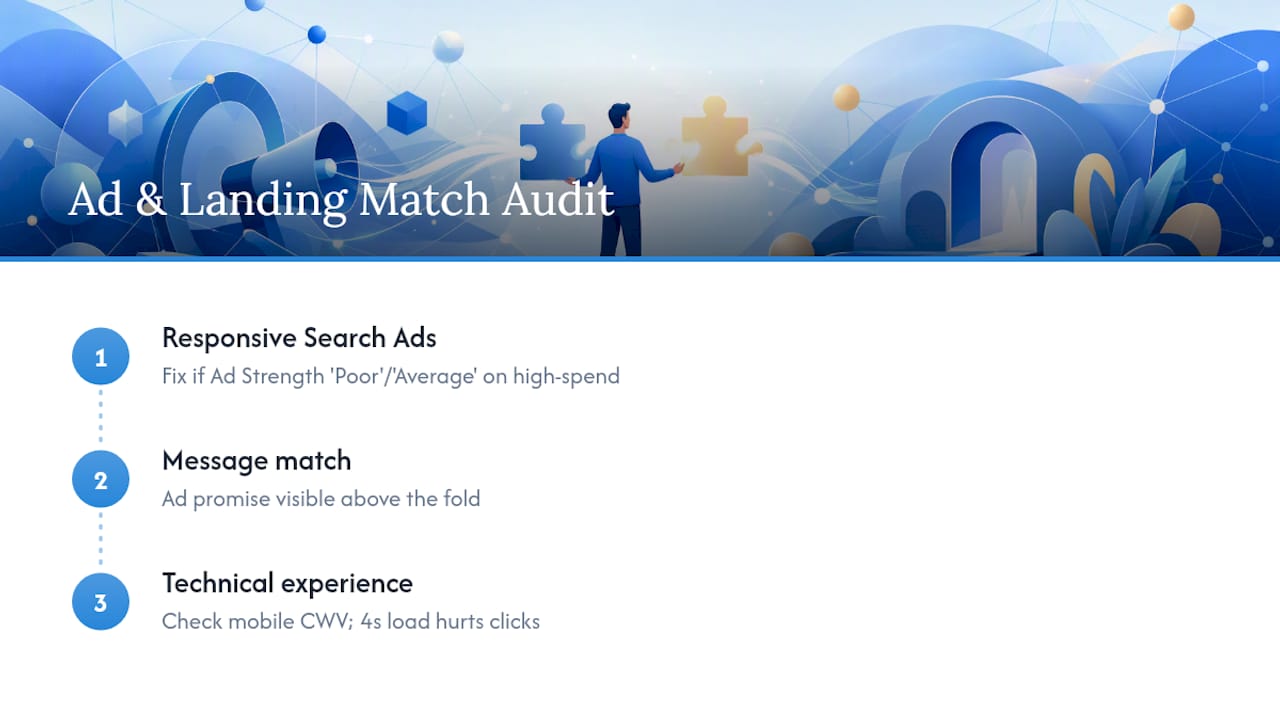
Start with Responsive Search Ads: check the Ad Strength label in the interface, and if it reads “Poor” or “Average” on a high-spend ad group, that’s your first fix. Distinct, non-repetitive headlines matter more than volume here, five sharp ones outperform fifteen that all say the same thing in different words. A tool like AmmarAI’s ad generator can help you draft varied headline and description options quickly if you’re short on copy angles.
Then check message match: does the ad’s promise (a specific offer, a specific price, a specific product) appear on the landing page above the fold, or does the visitor land on a generic homepage and have to hunt?
Finally, audit the technical experience. Core Web Vitals and page load speed directly affect both conversion rate and Quality Score, and a page that takes four seconds to load on mobile is quietly taxing every click you’ve paid for. Check mobile rendering specifically, not just desktop, since Google’s own indexing and a large share of paid traffic are mobile-first now.
When should you trust Smart Bidding, and where is budget leaking?
Smart Bidding works when it has enough clean data to learn from. Below a reasonable weekly conversion volume, and with the wrong action selected as “primary,” it’s optimising blind, which is why this check comes after conversion tracking, not before.
- Check the “Limited by budget” status on every campaign; a high-converting campaign capped by budget is a bigger opportunity than most keyword-level optimisations you could make.
- Look at Impression Share (lost due to budget) in the columns menu. Consistent losses above a small percentage on profitable campaigns usually justify a budget shift.
- Confirm the campaign has enough weekly conversions, generally 30 or more, before trusting a Smart Bidding strategy like Target CPA or Target ROAS to perform predictably.
- Review Performance Max asset group segmentation, since poorly segmented asset groups blend audiences and products that should be bid on differently.
- Check whether Consent Mode v2 is implemented correctly; incomplete consent signals mean modelled conversions fill gaps that Smart Bidding then treats as certainty.
A tool like Michael Bell’s guide on optimising spend with performance data is worth a read if budget allocation across campaigns feels more like guesswork than a system.
Are your audiences and targeting actually working for you?
Audience settings quietly decide who sees your ads and how much you’re willing to pay for them, yet they’re often left on default and never revisited.
- Check whether remarketing lists are set to “Observation” or “Targeting” and confirm that choice was deliberate, not accidental.
- Verify Customer Match uploads are current; a stale list built from an old CRM export dilutes match rates and wastes the whole exercise.
- Review location settings for “Presence” versus “Presence or interest,” since the latter can serve ads to people merely searching about a place, not physically there.
- Pull the device performance report and check conversion rate by device; a 40% drop on mobile against desktop justifies a negative bid adjustment, not a shrug.
How do you turn audit findings into a plan?
Every finding gets scored on impact and effort before it goes anywhere near an implementation calendar. High impact, low effort items (a missing negative, a broken conversion tag) get fixed today. High impact, high effort items (a full account restructure) go into a 90-day plan with an owner and a metric to check against.
- List every finding with an impact score (1 to 5) and an effort score (1 to 5).
- Rank by impact divided by effort, highest first.
- Assign owners and a 30-day or 90-day target against each item.
- Re-run the audit at 30 and 90 days to verify the metric actually moved.
Pro Tip: Version your audit with a date and a changelog. A single-shot audit shows you a snapshot, but a dated, repeated audit shows you whether the fixes actually worked, which is the only proof that matters.
How often should you audit a Google Ads account?
Cadence matters as much as depth. Weekly, scan the search terms report and flag any sudden cost or CPA spike. Monthly, review bid strategy performance, ad asset rotation and audience lists. Quarterly, run the full structural and conversion architecture review. Outside that rhythm, an unexplained CPA jump, a new product launch, or a tracking change on the website should always trigger an immediate re-audit, regardless of where you are in the calendar.
How a digital partner can turn audit findings into results
An audit is only useful once someone acts on it, which is where most in-house teams stall. A thorough approach follows the same sequence covered here: verify measurement, fix the quick wins in search terms and budgets, then move into structural changes and a testing calendar for ads and landing pages. Ongoing accounts get audit findings tied directly into CRM automation, so offline conversions and lead quality feed back into bidding decisions rather than sitting disconnected in a spreadsheet nobody revisits.
A note on the habit, not just the checklist
Most accounts don’t fail because of one dramatic mistake. They drift, a negative list that never gets updated, a conversion action left unchecked after a website migration, a budget cap nobody noticed for six weeks. Measurement-first discipline exists precisely to catch that drift before it compounds.
The habit worth adopting is small: fifteen minutes a week, same day, same three checks, search terms, budget status, conversion counts. It won’t replace a full quarterly audit, but it catches the expensive surprises early. If you want a second pair of eyes on the full picture, Cloud9’s PPC work is built around exactly that rhythm.
— Rob
Want the audit findings actually implemented?
Running the checklist tells you what’s broken. Fixing it, rebuilding a weak landing page, correcting a tracking gap, restructuring campaigns without breaking what’s working, is where most in-house teams run out of time. A single partner can handle PPC campaign management alongside the landing pages those campaigns send traffic to, so a fix identified in the audit gets built and tested rather than added to a backlog that never clears.

A typical engagement starts with the same measurement-first audit outlined here, followed by a prioritised action plan and hands-on implementation, correcting tracking, tightening structure, rewriting ad assets, and rebuilding landing pages where Core Web Vitals or message match are costing conversions. For businesses whose landing pages are the weak link in the funnel, Cloud9’s PPC and landing page services cover both the traffic and the page it lands on, so the two aren’t optimised in isolation. If your audit turned up landing page issues specifically, the mobile website design checklist is a useful next read before requesting a proposal.
Where to go for further detail
For the interface-level detail this checklist condenses, these are worth bookmarking:
- Google Ads Help on conversions and conversion tracking, for exact setup and troubleshooting steps.
- A free, downloadable 2026 audit template covering Consent Mode v2 and Performance Max checks in more depth.
- A scored audit template with a 30/90-day action plan structure for teams who want a formal scoring system.
Sources
- Google Ads Audit Checklist (2026) | Improtics
- Free Google Ads Account Audit Template | Online Labs | 2026
- Google Ads Help — conversions and conversion tracking
- How to Audit a Google Ads Account in 30 Minutes | Web Marketing International
FAQ
What is the first step in a Google Ads audit checklist?
Verify conversion tracking before anything else. If your conversion actions are miscounted or duplicated, every other metric in the account, from Quality Score to Smart Bidding performance, is being measured against a false baseline.
How long should a Google Ads account audit take?
A focused review covering conversions, search terms and top-spend campaigns usually takes 30 to 90 minutes, extending toward the longer end for larger or more fragmented accounts.
How often should I audit my Google Ads account?
Scan search terms and spend weekly, review bids and assets monthly, and run a full structural audit quarterly, with an immediate re-audit triggered by any sudden CPA spike or tracking change.
What counts as wasted spend in a Google Ads audit?
Spend on search terms or placements with high cost and zero conversions over a 90-day window, typically caught through the search terms report and the Display/YouTube placement report.
Can Cloud9 help implement the fixes from my Google Ads audit?
Yes. Cloud9 runs the same measurement-first audit process outlined here and follows it with hands-on implementation, covering PPC campaign structure, ad assets, and the landing pages the campaigns send traffic to.